
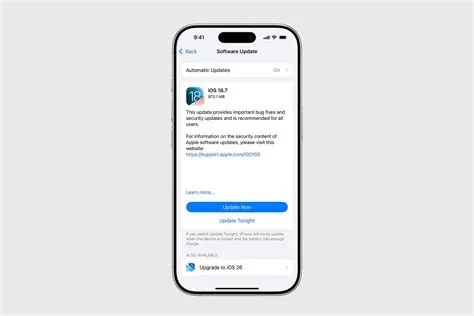
iOS 26.2.1, iPadOS 26.2.1 and watchOS 26.2.1 Arrive with Security Patches and AirTag 2 Integration
Apple’s latest wave of system updates hits iPhone, iPad and Apple Watch users today. The three releases – iOS 26.2.1, iPadOS 26.2.1 and watchOS 26.2.1 – bundle a set of high‑risk vulnerability fixes with the first native support for the second‑generation AirTag. Apple classifies the bundle as a “critical security patch,” so the company is urging both consumers and IT admins to install it as soon as possible.
Core Security Improvements
The update closes several pathways that attackers could have exploited for code execution, data interception or privilege escalation. Key fixes include:
- Kernel exploits – patches that block unauthorized code from running at the system level.
- Network‑stack flaws – corrections that prevent potential Wi‑Fi or cellular data sniffing.
- Privilege‑escalation bugs – safeguards that stop apps from gaining elevated system rights.
Apple says the vulnerabilities were discovered during internal investigations and have been thoroughly validated before release, minimizing the exposure window for users.
Native AirTag 2 Support
AirTag 2 arrives with a longer‑lasting battery, finer‑grained location reporting and tighter privacy controls. iOS 26.2.1 (and its iPadOS counterpart) now include the necessary Bluetooth‑stack updates and background services to make the new tracker work straight out of the box.
What changes for users?
- Seamless pairing – place an AirTag 2 near an iPhone running 26.2.1 and it connects instantly.
- Enhanced precision – updated algorithms deliver faster, more accurate location updates in the Find‑My app.
- Real‑time battery monitoring – the Find‑My interface now shows the AirTag’s battery level, so you know when it’s time for a swap.
- Privacy upgrades – Apple’s new controls limit how often the tag broadcasts its identifier, reducing unwanted tracking.
iPadOS 26.2.1 brings the same capabilities to iPads, while watchOS 26.2.1 ensures that paired Apple Watch functions (like Find‑My alerts) stay in sync.
Legacy iPhone Patch
A targeted component of the rollout addresses two older iPhone models that could lose core services without the update. Without 26.2.1, features such as Apple Pay, iMessage, emergency calling and even Apple Watch connectivity might stop working.
For enterprises that still support these legacy devices, the patch is essential to maintain service continuity and compliance with emergency‑service regulations.
Installation Steps and Recommendations
Apple recommends backing up your device before proceeding. The update can be applied over‑the‑air:
- Open Settings → General → Software Update.
- Tap Download and Install and follow the on‑screen prompts.
- After the reboot, verify AirTag 2 appears in the Find‑My app and that all services (Apple Pay, iMessage, etc.) function normally.
If the update doesn’t show up, connect the device to a Mac or PC and use Finder (macOS Catalina or later) or iTunes (Windows) to install manually.
Device Compatibility
All devices that already support iOS 26 can receive the 26.2.1 update without restriction. Older hardware that can’t run iOS 26 will stay on its current version and won’t gain AirTag 2 functionality.
Future Outlook for Apple’s Update Strategy
Rolling out three system updates simultaneously signals Apple’s intent to bundle security fixes with new‑hardware enablement. The company appears to be shifting toward smaller, more frequent patches that keep the ecosystem stable while still delivering fresh features.
Practitioners Perspective
Enterprise IT managers appreciate the bundled approach: a single rollout means less downtime and a clearer compliance checklist. The legacy‑iPhone fix is especially valuable for organizations that haven’t fully migrated to newer hardware, as it safeguards payment and emergency‑service functionality.
Developers should note the updated Bluetooth stack and background services. Apps that interact with the Find‑My network may need to test against the new AirTag 2 APIs to ensure smooth hand‑off and battery‑status reporting.
Security teams can now close the CVE tickets tied to the kernel, network and privilege‑escalation bugs. The quick patch cycle reduces the window for potential exploits, aligning with best‑practice vulnerability‑management timelines.
Bottom Line
iOS 26.2.1, iPadOS 26.2.1 and watchOS 26.2.1 combine essential security hardening with the first native support for AirTag 2. The update protects devices from serious threats, restores critical services on older iPhones, and unlocks the full capabilities of Apple’s newest tracking hardware. Users and administrators should install the update right away to keep their ecosystems safe and functional.

