
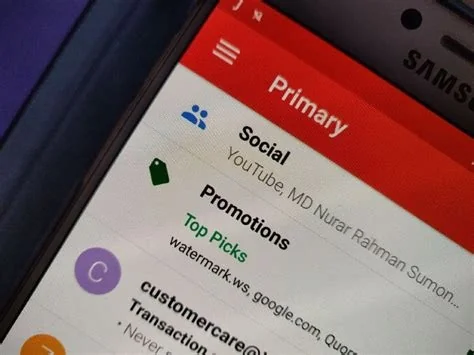
A sudden glitch in Gmail’s automated filtering system is causing millions of users to see promotional, social and spam messages directly in their Primary inbox. The malfunction disables both the Promotions tab and the spam detection engine, leading to an overloaded inbox and increased warning prompts. Google has confirmed the issue and is working on a fix.
What Users Are Seeing
Users report that newsletters, marketing blasts, and even phishing‑style spam are appearing in the Primary tab instead of their designated categories. The surge of unwanted messages overwhelms the traditional inbox view, making it difficult to locate important emails.
What’s Broken
Gmail’s tabbed inbox relies on content analysis, sender reputation, and user behavior to sort mail into Primary, Social, Promotions, Updates, and Forums. The same machine‑learning models power the spam filter that flags suspicious messages. The current glitch disrupts both the categorization logic and the spam detection thresholds, causing misrouted emails and frequent spam warnings.
Google’s Response
Google has acknowledged the problem on its official channels, stating that engineers are actively working to resolve the issue. While no exact timeline has been provided, the company treats the incident as a service‑wide outage rather than an isolated bug.
Background on Gmail Filtering
Since its launch in 2004, Gmail has blocked more than 99.9% of spam before it reaches users. The tabbed inbox, added later, gives a visual separation of marketing and social content from personal correspondence. Both features depend on continuous AI training that processes billions of messages daily to maintain accuracy.
Implications for Users and Businesses
For everyday users, a cluttered Primary inbox makes it harder to find critical messages such as password resets or time‑sensitive work communications. Businesses that rely on the Promotions tab for marketing analytics may see distorted open‑rate metrics, and the heightened spam visibility raises the risk of accidental clicks on malicious links.
What to Do Now
- Create custom filters – Use Settings → Filters and Blocked Addresses to manually route known senders or keywords to specific tabs or to Trash.
- Mark messages as spam or not spam – Training the system by flagging unwanted mail helps the AI recalibrate its decisions on a per‑account basis.
- Enable “Priority Inbox” – This feature surfaces important messages based on past interactions, offering a temporary workaround for the broken tab system.
Looking Ahead
The incident highlights the fragility of large‑scale AI‑driven services. As email remains a cornerstone of personal and professional communication, any disruption to filtering mechanisms quickly becomes high‑visibility. Users and businesses will be watching for a post‑mortem from Google that outlines steps to prevent similar failures in the future. Until then, stay vigilant, use manual filters where possible, and await the official fix.

