
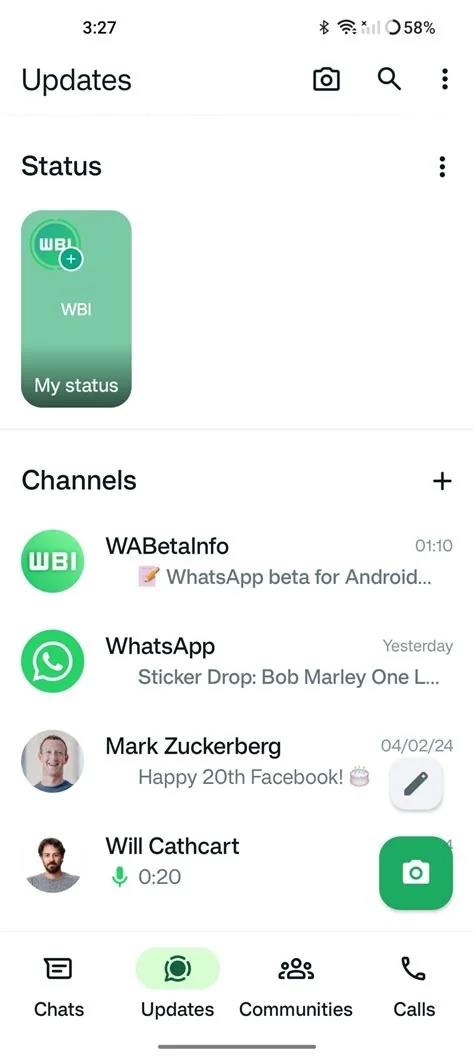
WhatsApp is moving status updates directly into the Chats screen, showing a live preview at the top or a swipeable row that scrolls with your conversation list. This lets you view fresh statuses without opening a separate tab, turning what was a hidden feature into a core part of everyday chat navigation.
How the New Status Layout Works
Top‑Bar Preview Details
When a contact posts a new status, their profile picture appears in a highlighted bar at the very top of the Chats view. The preview looks like an incoming message, so you notice it the moment you unlock the app. Tapping the bar opens the full status slideshow.
Swipeable Row and Carousel
Below the top bar, a horizontal carousel displays recent status updates from all contacts who have posted in the last few hours. You can swipe left or right to browse, and each thumbnail expands into the full story when you tap it. The carousel scrolls together with the chat list, keeping everything in one place.
Why the Change Matters for Users
Previously, you had to switch to a separate “Status” tab, which added an extra step and often meant missing updates. By embedding status into the main chat view, WhatsApp makes the feature instantly accessible, so you’re more likely to see friends’ moments while you’re already scrolling through conversations. This integration also aligns with the growing demand for quick, ephemeral content.
Design Implications and User Experience
The redesign leverages prime screen real estate and familiar “Stories” navigation patterns. Highlighted profile pictures act as visual cues, signalling a new status just like a new message. A UX designer notes that this reduces context switching, keeping your focus on a single screen and encouraging more frequent status consumption.
However, the visual hierarchy must stay clear. If status thumbnails compete with unread‑message badges, you might miss important chats. Balancing prominence with subtlety will be key to a smooth experience.
Potential Impact on the Messaging Landscape
Putting status front‑and‑center could set a new baseline for instant‑messaging apps. Competitors that already offer “Stories”‑like features may follow suit, pushing the industry toward tighter integration of ephemeral content and private chats. This shift reflects a broader trend where temporary posts become a central part of everyday communication.
What to Expect Next
The feature is currently rolling out in beta builds, showing only the most recent statuses at the top while older ones stay hidden until you scroll. This incremental approach helps WhatsApp gauge how often you engage with the new layout before a full release. If feedback stays positive, you can expect the status preview to become a permanent part of the Chats tab.


