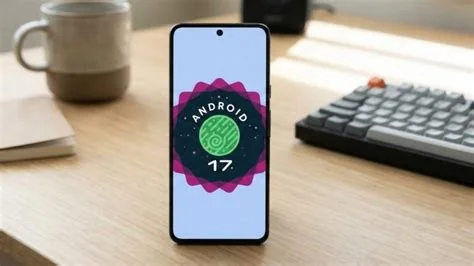
Android 17 Beta 1 is now rolling out to eligible Pixel phones, bringing a suite of adaptive‑app APIs, a faster media framework, and performance tweaks that make foldable and large‑screen experiences feel smoother. If you enroll, you’ll see apps resize automatically, enjoy lower‑latency audio, and benefit from quicker launches on supported devices.
Android 17 Beta 1 Rollout Details
The beta is limited to Pixel devices that have joined the Android Beta program. Current recipients include the Pixel 8, Pixel 8 Pro, and the newer Pixel 7 a. Devices that haven’t opted in will stay on Android 16 until the final release is ready.
Adaptive Apps: New APIs for Foldables and Large Screens
Resizing and Reflowing UI
Developers now have to design for three distinct screen states: folded, partially opened, and fully opened. The system can automatically resize, reflow, and even rearrange UI elements to match the device’s configuration.
Impact on Play Store Review
Apps that ignore the new adaptive guidelines may be flagged during Play Store compliance checks, potentially affecting visibility and user experience.
- Two‑column layouts appear on fully opened foldables, collapsing to a single column when folded.
- Dual‑view video can show subtitles on one half while the video plays on the other.
- Performance gains stem from optimized layout rendering and reduced jank.
Media Framework Improvements
- Low‑latency audio path delivers sub‑100 ms response, ideal for gaming and real‑time communication.
- Smoother playback on high‑refresh‑rate screens reduces stutter.
- Enhanced power management may extend battery life during media‑heavy use.
What Developers Should Do Now
- Update your app manifest to declare support for the new adaptive requirements.
- Test UI behavior on Pixel 8 Pro’s foldable mode using the beta sandbox.
- Optimize media handling to leverage the low‑latency audio pipeline.
- Monitor telemetry and feedback from the beta to fine‑tune performance.
Benefits for Everyday Users
- You’ll notice smoother transitions when you unfold your device.
- App launches feel quicker thanks to under‑the‑hood performance tweaks.
- Media‑heavy apps respond faster and may use less battery.
- Consistent app behavior across different screen sizes reduces frustration.
Expert Insight on Adaptive Layouts
“The new adaptive layout constraints give us a clear target,” says Maya Patel, a senior Android engineer at a mid‑size app studio. “Designing for folded, partially opened, and fully opened states was a challenge, but the well‑documented APIs let us test on a Pixel 8 Pro without a physical foldable. We’ve already seen a 15 % reduction in layout‑jank and smoother animations.” Patel adds that the media improvements “feel almost instantaneous,” highlighting the sub‑100 ms latency in their voice‑recorder feature.
How to Join the Android 17 Beta
- Open the Settings app on a compatible Pixel device.
- Navigate to System → Advanced → System update.
- Select “Enroll in Android Beta” and choose Android 17 Beta 1.
- Confirm and let the update download; you’ll be on the beta in a few minutes.