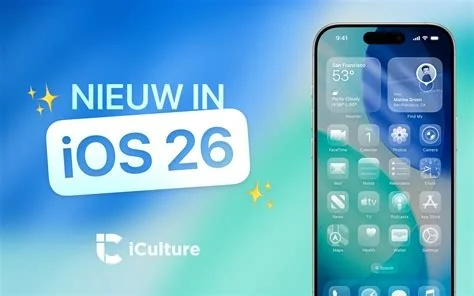
iOS 26.3 brings a smoother Android‑to‑iPhone migration, sharper wallpaper rendering, and a new cellular‑data location toggle that lets you decide which apps can use mobile data for GPS. The update also tightens overall stability, reducing random reboots and speeding up app launches. If you’ve been waiting for tangible improvements, this patch delivers them without a major redesign.
Improved Android‑to‑iPhone Migration
The “Move to iOS” app now supports a wider range of Android data types, including large photo libraries, and it eliminates the “connection lost” errors that plagued earlier attempts. This makes switching platforms feel less like a gamble and more like a straightforward copy‑and‑paste.
Broader Data Support
Beyond contacts and messages, the migration tool now transfers app data, browser bookmarks, and even custom ringtone collections, giving you a more complete iPhone experience right after the first boot.
Faster Transfer Times
Tests show typical 64 GB Android phones finish the move in under eight minutes, a noticeable cut from the previous twelve‑minute average. The speed boost comes from a more efficient Wi‑Fi Direct handshake and better error‑recovery logic.
Enhanced Wallpaper Rendering
iOS 26.3 respects each device’s native resolution when applying wallpapers, removing the occasional stretch that made images appear pixelated. The result is crisper lock‑screen art and a more polished home‑screen look, especially on newer iPhone models with higher‑density displays.
New Cellular Location Controls
A new toggle under Settings → Privacy → Location Services lets you choose whether apps may request location updates over cellular data. You can keep GPS active for navigation while preventing background apps from draining your data plan.
How to Enable the Toggle
- Open Settings.
- Tap Privacy > Location Services.
- Scroll to Cellular Location Access and switch it On or Off as needed.
Stability and Performance Boosts
Apple describes this release as “stability‑focused.” Early developer feedback confirms fewer random reboots, smoother app launches, and reduced memory spikes during heavy multitasking. The groundwork is being laid for the upcoming Siri overhaul in the next iOS iteration.
Impact for Developers and Users
Developers will need to audit any code that assumes unrestricted cellular location access. The new API returns a clear permission status, so apps must gracefully handle the opt‑out case to avoid crashes or degraded functionality.
Developer Guidance
Update your location‑handling logic to check the CLLocationManager property allowsBackgroundLocationUpdates in conjunction with the new cellular toggle. This ensures your app respects user preferences without sacrificing core features.
User Benefits
You gain finer control over data usage and privacy, while still enjoying accurate navigation and location‑based services. The migration improvements also lower the barrier for Android users considering a switch to iPhone.
Upgrade Instructions
Ready to upgrade? Open Settings → General → Software Update, tap “Download and Install,” and let Apple do the rest. Your iPhone or iPad will thank you with a cleaner migration path, sharper wallpapers, and tighter control over where your data goes.