
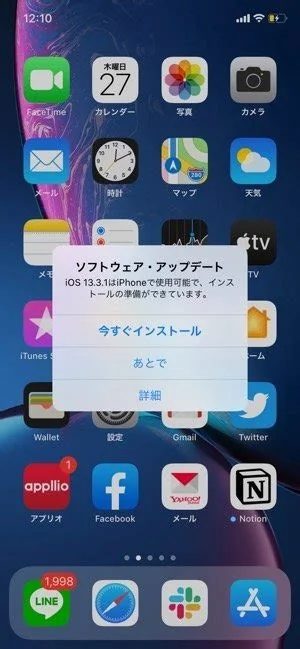
iOS 26.3 brings 38 critical security patches, a built‑in Android‑to‑iPhone migration wizard, and a series of stability tweaks for iPhone 11 and newer, as well as recent iPad models. If you rely on secure corporate apps, need to move data from an Android device, or want the latest bug fixes, installing the update now is the safest choice.
Key Features in iOS 26.3
Security Hardening
Apple addressed 38 vulnerabilities across the kernel, WebKit, and the Bluetooth stack. Many of these flaws were classified as critical, meaning they could have been exploited by zero‑day attacks. The patches close those gaps and reinforce the overall security posture of supported devices.
Native Android‑to‑iPhone Transfer
A new “Move to iPhone” wizard runs on Android 12 or later. It copies contacts, photos, and even WhatsApp chat histories directly over a Wi‑Fi Direct link, without third‑party apps. You’ll find the option under Settings → General → Transfer or Reset.
Stability and Performance Improvements
Apple fixed a crash that occurred when opening large PDFs in Books, resolved an occasional audio glitch in FaceTime, and refined battery‑usage reporting for background location services. These tweaks make everyday tasks feel smoother.
Who Should Update Now?
If you’re on iOS 26.2.1 with an iPhone 11‑13, rely on corporate email or VPN apps, or have any of the listed critical bugs, you should install the update immediately. Users with older hardware—such as the iPhone SE 2020 or earlier—who notice performance lag, or those dependent on niche apps that haven’t confirmed compatibility, may want to wait a few days.
Step‑by‑Step Update Guide
- Back up your data. Use iCloud or a local encrypted backup via Finder/iTunes, and verify the backup size matches your device’s used storage.
- Charge the device. The installer won’t start below 50 % battery, so plug in a wall charger.
- Connect to fast Wi‑Fi. The OTA package is about 2.3 GB; a stable 5 GHz network keeps the download under 15 minutes.
- Allocate time. Expect 20–30 minutes for the download and another 10–15 minutes for installation and post‑install indexing.
- Verify the install. Open Settings → General → About to confirm the version, then run a quick battery‑drain test by playing a video for five minutes.
Common Issues After Updating
- Bluetooth pairing delays. Some users notice a brief lag when reconnecting AirPods. Forget the device in Bluetooth settings and re‑pair to resolve it.
- App Store download stalls. Large apps (over 1 GB) may time out on first launch. Clearing the App Store cache usually fixes the problem.
Why the Update Matters for Users and Enterprises
The security fixes shrink the attack surface for devices that store corporate data, simplifying compliance for IT departments. Meanwhile, the Android migration tool lowers the barrier for Android users to switch ecosystems, expanding Apple’s service reach without requiring a new hardware purchase.
Bottom Line
iOS 26.3 isn’t a visual overhaul, but it delivers essential under‑the‑hood work that keeps Apple’s ecosystem secure and more welcoming to Android switchers. If you value security, need to move data from an Android phone, or just want the latest bug squashes, the update is worth the modest download time. Make sure you back up, connect to reliable Wi‑Fi, and you’ll stay on the right side of Apple’s latest software curve.


