
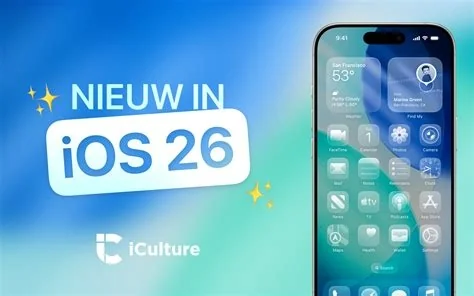
iOS 26.3 arrives as a focused update that introduces a one‑tap “Transfer to Android” shortcut, tightens kernel and WebKit security, and refines the lock‑screen and Control Center. The patch bundles high‑severity fixes for iPhone, iPad, and other Apple platforms, making it a must‑install for anyone looking to protect their device and simplify a switch to Android.
Key Feature: Transfer to Android Shortcut
The new shortcut lives in Settings and guides you through moving contacts, photos, and messages to a compatible Android phone. It mirrors the familiar iPhone‑to‑iPhone Quick Start flow, so you won’t need any third‑party apps. If you’re planning a platform switch, this one‑tap wizard can shave hours off the migration process.
Security Enhancements Across Apple Devices
Apple’s security advisory confirms that iOS 26.3 patches multiple high‑severity vulnerabilities in the kernel, WebKit, and background‑service extensions. The same hardening lands on iPadOS 26.3, while macOS Tahoe 26.3, watchOS, and tvOS receive parallel updates. By bundling these fixes, Apple narrows the exposure window for millions of devices.
Other UI Tweaks and Bug Fixes
- Refreshed lock‑screen widget layout for quicker glances.
- Minor visual polish in Control Center, improving readability.
- Stability fixes that stop occasional app crashes reported after iOS 26.1.
- General performance tweaks that make everyday interactions feel smoother.
Why the Update Matters for You
Skipping a “maintenance” release can leave your device vulnerable to known exploits. With iOS 26.3, you get a batch of critical patches in a single download, reducing the time your iPhone or iPad spends exposed. Plus, the Android transfer tool shows Apple is listening to users who need a smoother exit path from the ecosystem.
IT Professionals’ Take on iOS 26.3
Senior IT managers report that the built‑in transfer utility cuts migration time in half, eliminating the need for third‑party MDM tools. From a security perspective, the high‑severity kernel fix aligns with internal vulnerability scans, making the rollout a “no‑brainer” for enterprise fleets. The update delivers silent, behind‑the‑scenes work that keeps networks safe without disrupting users.
What to Expect Next from Apple
Apple has hinted that the next major iOS release will focus on Siri’s conversational abilities, shifting the spotlight from incremental polish to AI‑driven features. In the meantime, iOS 26.3 proves that even minor updates can carry weighty security implications and user‑experience upgrades. If you’re still on iOS 26.1 or 26.2, installing 26.3 is a practical step toward a safer, more interoperable iPhone.


