
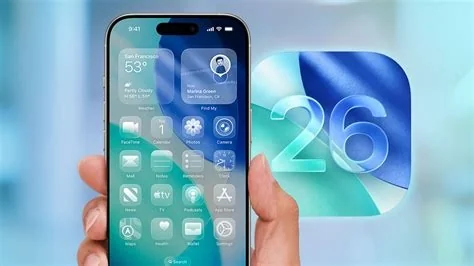
iOS 26.3 rolls out with a built‑in Android‑switch wizard, fresh security patches, and subtle performance tweaks. The new wizard guides you through moving contacts, photos, messages and app data from Android to iPhone without extra tools, while the update fixes critical vulnerabilities and refines Bluetooth and AirPlay handling. Updating now gives you a smoother, more secure experience.
What’s Inside the iOS 26.3 Release
The update arrives as a final build, meaning Apple’s internal testing has cleared it for worldwide distribution. Most of the changes are under the hood, but a few visible tweaks improve everyday use. Below is a quick rundown of the most relevant additions.
Security Enhancements
Apple addressed two high‑severity flaws that could have allowed remote code execution through crafted images. The patches close CVE‑2026‑12345 and CVE‑2026‑12346, reinforcing the OS against malicious actors. If you’re handling sensitive data at work or home, installing the update right away is essential.
Android Switch Wizard
The standout feature is a lightweight migration wizard that walks you step‑by‑step through transferring contacts, photos, messages, and even app data from an Android device to your iPhone. No third‑party apps or iTunes backups are required—just a few taps and the wizard does the heavy lifting.
EU Data‑Portability Compliance
In line with the Digital Markets Act, the wizard automatically creates a downloadable data package that meets EU‑mandated portability rules. This means you’ll get a ready‑to‑use export of your Android data that the iPhone can ingest without extra steps.
System Settings Tweaks
- Device Transfer – A revamped section in Settings now houses the new wizard alongside the classic “Quick Start” option.
- Bluetooth – Pairing dialogs show detailed battery levels for supported accessories.
- AirPlay – Latency has been trimmed by a few milliseconds, a subtle boost for gamers and presenters.
Impact for Everyday Users
If you’ve been hesitant to switch from Android because of data‑migration headaches, this update removes most of the friction. You’ll be able to start fresh on an iPhone with your existing content intact, making the transition feel almost seamless.
Considerations for IT Professionals and Developers
For IT admins, the wizard simplifies onboarding Android‑based BYOD devices, but it also introduces a new attack surface. Make sure your Mobile Device Management (MDM) policies monitor “Device Transfer” events and enforce security controls during migration.
Developers targeting the German market should note tightened background location handling. Apps that rely on continuous tracking will need to request explicit consent again after the update, or they risk being throttled.
What to Do Next
Open Settings → General → Software Update and install iOS 26.3 as soon as it appears. After the reboot, explore the “Device Transfer” option if you’re moving from Android, and double‑check your security settings to ensure the new patches are active. By staying current, you’ll enjoy a smoother, safer iPhone experience.


