
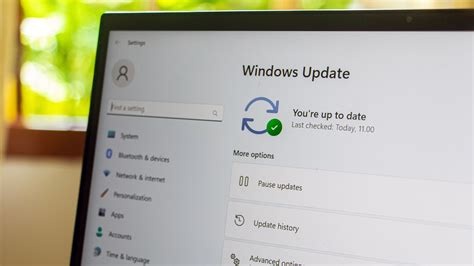
Microsoft released an out‑of‑band emergency patch (KB5077744) to resolve critical Remote Desktop failures, shutdown hangs, and sign‑in issues introduced by the January 2026 Windows 11 feature update. The patch targets builds 26200.7627 (22H2) and 26100.7627 (21H2), restores normal shutdown behavior, and re‑enables remote connectivity. Users should manually check Windows Update to ensure the fix is installed.
What Caused the January 2026 Update Issues
Faulty Servicing Stack Update
On 17 January 2026 Microsoft delivered a servicing‑stack update (KB5071142, build 26100.7295). This component prepares the system to receive subsequent updates. An incompatibility between the new stack and the following feature update triggered regressions that affected core OS functions.
Symptoms Reported by Users
- Remote Desktop failures – RDP connections could not be established, blocking remote administration.
- Shutdown hangs – Systems froze during shutdown, often requiring a hard power‑off.
- Intermittent sign‑in issues – Users, especially those on Azure Active Directory‑joined devices, experienced failed Windows sign‑ins.
Microsoft’s Emergency Out‑of‑Band Patch
To address the regressions, Microsoft issued KB5077744 on the same day as the problematic update. The OOB patch is delivered through the standard Windows Update channel and is marked as a critical fix. It specifically resolves the shutdown hang and Remote Desktop sign‑in problems while restoring normal system behavior.
Impact on Enterprises and Best Practices
IT departments that rely on Remote Desktop for remote troubleshooting and enforce strict shutdown policies were most affected. The incident highlights the need for staged rollouts, thorough testing in controlled environments, and continuous monitoring of update health before wide deployment.
How to Install the KB5077744 Fix
- Open Settings → Windows Update.
- Click Check for updates to force a scan.
- Locate KB5077744 in the list of available updates.
- Select Install and allow the system to restart if prompted.
- After installation, verify the patch appears under View update history.
Future Outlook for Windows 11 Updates
Microsoft has not set a new release date for a permanent fix to the remaining shutdown hang edge cases, but incremental cumulative updates are expected to address any lingering issues. The rapid deployment of KB5077744 demonstrates Microsoft’s ability to respond to critical bugs, while reinforcing the importance of rigorous update testing for large‑scale Windows environments.


