
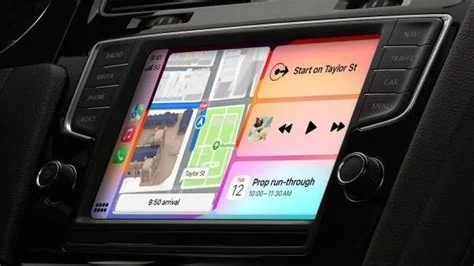
Apple is finally letting third‑party chatbots run on CarPlay with iOS 26.4, letting you ask ChatGPT, Gemini or Claude for directions, restaurant tips, or quick weather updates—all without taking your eyes off the road. The update adds a Conversational AI category, voice‑only interaction, and Siri Shortcut integration, keeping the experience safe and hands‑free.
What iOS 26.4 Adds to CarPlay
Since CarPlay debuted in 2014, Apple has limited apps to navigation, audio, messaging and a few utilities. iOS 26.4 introduces a “Conversational AI” slot that lets developers embed up to four action buttons and navigation‑bar controls directly into the CarPlay UI. This change opens the dashboard to heavyweight LLM‑driven assistants while preserving Apple’s clean, glance‑free design.
New UI Hooks and Action Buttons
The update provides four customizable action buttons that sit beside the navigation bar. Developers can map each button to a specific chatbot function—such as “Ask for traffic,” “Find a coffee shop,” “Check the weather,” or “Plan a stop.” Because the layout stays within Apple’s template, the look‑and‑feel remains consistent across all CarPlay apps.
If you’ll explore the new action buttons, you’ll see how easy it is to stay hands‑free.
How Voice‑Only Activation Works
Apple isn’t adding a dedicated wake word for each chatbot. Instead, it relies on Siri Shortcuts. You can create a shortcut that launches ChatGPT, then trigger it with the familiar “Hey Siri” command. This keeps activation under Apple’s control while still giving you a natural, hands‑free way to start a conversation.
Setting Up a Shortcut
To use a chatbot, open the Shortcuts app, add a new shortcut that points to the desired CarPlay AI app, and assign it a phrase like “Open travel planner.” Once saved, saying “Hey Siri, open travel planner” will launch the chatbot and let you continue the dialogue without touching the screen.
Safety, Privacy and Quality Controls
All interactions must remain voice‑first. Apple’s guidelines forbid on‑screen typing while the vehicle is moving, a rule that aligns with regulator expectations. The company also mandates that any third‑party AI keep data processing on‑device whenever possible, mirroring the broader Apple Intelligence privacy model.
- Voice‑first only: No text entry while driving.
- On‑device processing: Personal data stays local unless you explicitly allow cloud use.
- Apple review: All CarPlay AI apps undergo a safety and privacy audit before they reach users.
Developer Perspective
Jordan Lee, a senior UX engineer, describes the move as “a pragmatic step forward.” He notes that developers have been asking for a way to bring LLM services into cars without breaking Apple’s safety envelope. The new UI hooks give a clear path, and Siri Shortcut integration lets a driver say “Hey Siri, open my travel planner” and launch a ChatGPT session that stays hands‑free.
Key Takeaways for Developers
- Action buttons provide quick access to specific chatbot functions.
- Siri Shortcuts keep activation consistent with existing Apple workflows.
- Voice‑only design ensures compliance with safety regulations.
Future Outlook for CarPlay AI
Opening CarPlay to heavyweight chatbots positions Apple as a flexible hub for both its own Siri upgrades and the broader AI market. As more developers ship conversational experiences—like real‑time itinerary planning or traffic‑aware suggestions—you’ll likely see a richer, hands‑free ecosystem that complements Apple’s AI roadmap.
Whether CarPlay becomes the default platform for on‑road AI assistants will depend on how well the chatbots respect driving context and how Apple continues to enforce quality standards. For now, iOS 26.4 hands you the controls to ask a large language model for answers without ever looking away from the road.


