
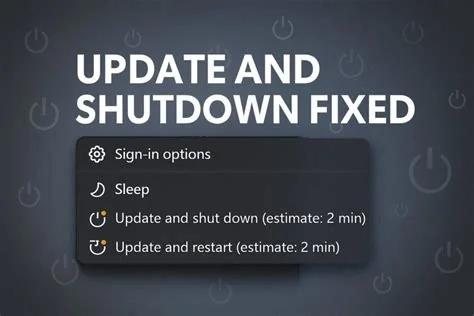
Summary: A critical regression introduced by the KB5073455 security update blocks Windows 10 and Windows 11 PCs from completing shutdown or hibernation when Secure Launch or Virtual Secure Mode (VSM) is enabled. The OS waits indefinitely for a VSM acknowledgment, forcing users to perform a hard power‑off. Microsoft has labeled the issue critical and is preparing a fix.
What Caused the Shutdown Bug
The bug appeared after the January 13 security patch (KB5073455) was deployed. The update altered the communication pathway between Windows and the VSM hypervisor during power‑state transitions. When Secure Launch or VSM is active, Windows expects a confirmation from the hypervisor that never arrives, causing the shutdown and hibernate processes to stall.
Technical Background of Secure Launch and VSM
Secure Launch (formerly Secure Boot) validates firmware and bootloader integrity before the OS loads. VSM isolates the hypervisor and kernel memory, protecting them from tampering. Both features rely on a coordinated handoff between firmware, the operating system, and update mechanisms. The KB5073455 change disrupted this handoff, leading to the indefinite wait state.
Impact on Users and Enterprises
- End users: Computers refuse to turn off, requiring a forced power‑off that can cause unsaved‑work loss or file‑system corruption.
- Enterprises: Automated shutdown scripts, nightly maintenance windows, and backup operations may fail, increasing the risk of data inconsistency.
- Security posture: Temporary disabling of Secure Launch or VSM is discouraged because it reduces protection against low‑level attacks.
Microsoft’s Response and Workarounds
Microsoft has classified the issue as a “critical regression” and is testing a fix that restores proper VSM communication during shutdown. In the meantime, administrators can use the forced shutdown command shutdown /s /f as a temporary measure, though this bypasses normal shutdown procedures and may still lead to data loss.
Recommended Temporary Actions
- Monitor the Windows Health Dashboard for the upcoming remedial patch.
- Use
shutdown /s /fonly when necessary and inform users to save work frequently. - Avoid permanently disabling Secure Launch or VSM; re‑enable them as soon as the fix is applied.
Best Practices Until the Fix Is Released
System administrators should pause automated patch deployments for affected hardware, adjust maintenance schedules, and document any temporary exceptions to security policies. Communicate clearly with end users about the issue and the importance of saving work before initiating shutdowns.
Future Outlook
The incident highlights the need for thorough regression testing of security updates, especially for power‑state transitions. As Microsoft deepens hardware‑rooted protections, ensuring stability alongside security will be essential to prevent similar disruptions.

