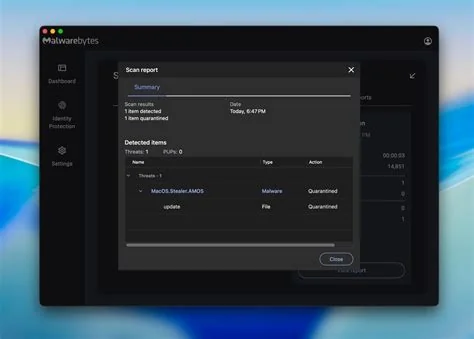
The AMOS infostealer is a macOS‑focused malware that disguises itself as a harmless fix inside AI chat sessions and paid search ads. By copying a single curl … | bash command into Terminal, the script harvests browsers, Keychain entries, crypto‑wallet extensions and local documents, then ships the data to remote servers. This tactic lets attackers bypass Gatekeeper and notarization.
How AMOS Infects macOS Through AI Chat Interfaces
Attackers embed malicious snippets in shareable conversations on popular AI platforms. When a user follows the suggested one‑liner, the payload downloads, decodes a base64 payload, and executes without prompting for additional permissions. Because Terminal is a trusted system utility, macOS treats the command as legitimate, allowing the malware to run unchecked.
Distribution via Shareable ChatGPT and Grok Conversations
Victims receive a step‑by‑step guide that appears to solve a routine issue—like clearing disk space. The guide ends with the curl‑pipe‑bash command, which silently pulls the AMOS binary from an attacker‑controlled server. Once executed, the infostealer sweeps through browsers, extracts saved passwords, and captures crypto‑wallet keys.
Google Ads Amplify the Attack Vector
Paid search ads direct users to the same AI chat pages. A typical ad promises a quick fix, and the landing page mirrors an official support article. This blend of advertising and AI content creates a low‑friction path that many users follow without a second thought.
Why the Threat Escapes Traditional macOS Defenses
Gatekeeper and notarization focus on signed applications, but they don’t inspect commands entered manually in Terminal. AMOS sidesteps these safeguards by relying on user‑initiated execution. Even signed binaries can be repurposed to deliver the payload, meaning a notarized app is no longer a guarantee of safety.
Immediate Steps You Can Take to Protect Your Mac
- Never paste unknown commands into Terminal—verify the source before you run anything.
- Enable System Integrity Protection (SIP) and keep it active.
- Use a reputable endpoint security solution that flags curl‑pipe‑bash patterns.
- Regularly audit your browser extensions and remove those you no longer need.
- Turn on multi‑factor authentication for all accounts that store sensitive credentials.
Long‑Term Mitigation Strategies for IT Teams
Deploy configuration profiles that restrict execution of scripts from untrusted URLs. Monitor outbound traffic for connections to known C2 domains associated with AMOS. Educate users to question any “quick fix” that requires a one‑liner in Terminal—your skepticism can stop a breach before it starts. Implement network‑level filtering for suspicious ad content and enforce strict endpoint policies that block unauthorized script downloads.
Bottom Line
If you’re searching for a fast solution on an AI chat, pause and ask yourself whether a single Terminal command is really necessary. A moment’s caution can keep your personal data out of the hands of cybercriminals and preserve the security reputation that macOS users have come to expect.