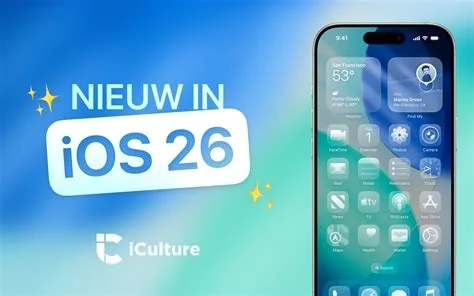
iOS 26.3 brings a built‑in Android transfer utility, 38 security patches, and a series of bug fixes that improve stability across iPhone, iPad, and Apple Watch. The update works on iPhone 11 and newer, and you can start the migration from Settings → General → Transfer to Android.
Key Security Enhancements
- 38 vulnerabilities patched – Apple classifies them as critical and important, covering kernel, WebKit, and networking components.
- Stronger iMessage attachment verification – reduces the attack surface for malicious files without changing the UI.
- Improved encryption for system services – updates to TLS handling and key management protect data in transit.
Bug Fixes and Stability Improvements
- Resolved app‑crash loops that appeared after iOS 26.2.1, especially with third‑party keyboards and certain VPN setups.
- Fixed occasional UI glitches on iPadOS and watchOS that affected multitasking and notifications.
- Addressed battery drain issues reported on older iPhone models when background refresh was enabled.
Android Transfer Tool Explained
Apple’s new wireless utility lets you move contacts, photos, videos, and supported app data from an iPhone to an Android device without a computer or third‑party app. The tool uses Bluetooth Low Energy for initial pairing and Wi‑Fi Direct for the bulk transfer, all secured with an encrypted session key.
How to Use the Transfer Tool
1. Open Settings → General → Transfer to Android on your iPhone.
2. Scan the QR code displayed on the Android handset.
3. Choose the data categories you want to move and tap Start Transfer.
4. Wait for the devices to negotiate the handoff; the process completes in minutes depending on the amount of data.
Why the Update Matters Now
The addition of a native cross‑platform migration path eases the “lock‑in” perception that has long surrounded Apple’s ecosystem. As more users consider switching to Android for cost or feature reasons, reducing friction helps Apple retain goodwill while still showcasing its security leadership.
Impact for Developers
Developers should retest any functionality that touches low‑level APIs, the networking stack, or WebKit after installing iOS 26.3. The security patches may affect apps that rely on deprecated kernel calls or custom networking extensions.
What You Should Do Next
If you’re happy with your current iPhone, install the update to lock in the security improvements and enjoy a smoother experience. If you’re planning a switch to Android, try the new transfer tool – it’s the quickest way to move your data without juggling cables or cloud backups. Either way, hitting “Install” now ensures you’re protected and ready for whatever comes next.