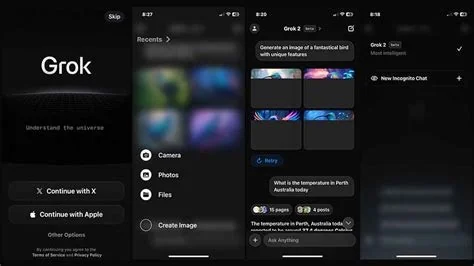
Share Voice lets you turn a Grok conversation on iOS into a ready‑to‑share video or audio clip with a single tap. The feature records the spoken reply, the on‑screen transcript, and any images, then bundles them into a short media file you can post instantly. It’s designed for creators who want fast, polished content without juggling separate recording tools.
How Share Voice Works on Grok iOS
When you activate voice mode, Grok answers your query with natural speech while displaying a live transcript and relevant visuals. Once the dialogue ends, a new Share Voice icon appears. Tapping the icon opens a simple dialog where you choose between a video or an audio export.
Export Options: Video and Audio
The Video option stitches together the audio, scrolling transcript, and any on‑screen images into a short clip that fits Instagram Reels, TikTok, or a quick email attachment. The Audio option creates an MP3‑style podcast episode, automatically generating a title and optional show notes from the transcript.
Why Share Voice Matters for Creators
Traditionally, turning an AI chat into shareable content required screen‑recording, manual editing, and captioning. Share Voice collapses that workflow into one tap, letting you publish insights instantly. It also reinforces Grok’s role as a companion app rather than a simple Q&A bot, giving you a built‑in publishing platform.
Use Cases Across Industries
- Social Media Influencers: Capture a quick fact‑check or trend analysis and post it as a Reel without extra editing.
- Educators: Record tutoring sessions and share them with a class, complete with visual aids.
- Journalists: Embed a concise AI‑generated summary into a story, preserving live web results for accuracy.
- Product Teams: Log brainstorming sessions as audio podcasts for remote stakeholders.
What Users and Designers Are Saying
UX designer Maya Patel, who’s testing the beta on her iPhone, describes the export flow as “intuitively native.” She highlights that automatic captioning removes the tedious manual transcription step. “The biggest win is the visual context,” Patel notes. “When Grok shows an image of the Colosseum while I ask about Rome, that visual sticks in the exported video, making the final piece more engaging than a plain audio clip.”
Limitations and Future Outlook
Current clips are limited to roughly two minutes, keeping file sizes mobile‑friendly. A desktop‑grade editor is rumored, but until it arrives the iOS app remains the primary playground. As AI assistants compete for attention, the ability to turn a conversation into shareable media could become a key differentiator that nudges users toward Grok.
Bottom Line
With Share Voice, xAI isn’t just giving Grok a louder voice—it’s handing you a microphone, a camera, and a publishing platform, all wrapped in a single swipe. If you’ve ever wished your AI could not only answer but also broadcast, this feature finally makes that wish a reality.