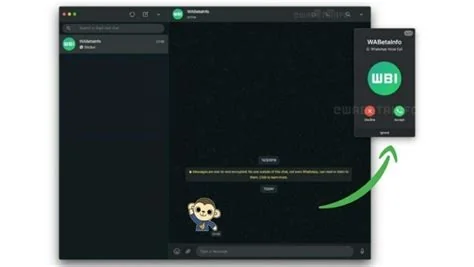
WhatsApp Web now lets you make and receive voice and video calls straight from a browser tab, eliminating the need for a separate desktop app. The feature rolls out to beta users for one‑to‑one chats, with group‑call support coming later, and uses the same end‑to‑end encryption as mobile calls today.
How Voice and Video Calls Work on WhatsApp Web
WhatsApp leverages WebRTC, the open‑source framework that powers most browser‑based communications. When you start a call, the browser handles audio and video streams locally, while encryption keys stay on your device, ensuring the same privacy you expect on your phone.
Starting a Call
To begin, open a conversation, click the call icon at the top right, and choose either the audio or video option. The interface mirrors the desktop apps, so you’ll feel right at home without installing anything extra.
Security and Encryption
End‑to‑end encryption is extended to the web client. Keys never leave your device, which means man‑in‑the‑middle attacks are virtually impossible. While the feature is still in beta, you can trust that your calls remain as private as they are on mobile.
Why the Feature Matters Now
Meta recently added multi‑device support, letting a phone stay online while you use WhatsApp on a tablet or computer. Adding browser‑based calls is the logical next step, especially as remote work and hybrid meetings increase the demand for seamless cross‑device communication.
Impact for Users and Teams
For you, the convenience factor spikes—you won’t need to juggle a phone and a laptop any longer. The upgrade also puts WhatsApp in direct competition with browser‑centric solutions like Google Meet and Microsoft Teams, giving casual users a quick alternative for short video chats.
Technical Considerations for IT and Developers
Because the call UI runs entirely in the browser, any modern browser that supports WebRTC works out of the box—Chrome, Edge, Firefox, and Safari are all compatible. No plugins or native bridges are required, which simplifies deployment in locked‑down corporate environments.
What to Expect Next
The next phase will bring group voice and video calls to the web. Managing multiple streams, handling bandwidth fluctuations, and preserving encryption across participants are the biggest challenges. If Meta nails the performance, WhatsApp Web could become the default “quick‑call” tool for millions.
Bottom Line
WhatsApp Web finally closes the desktop gap by adding native voice and video calling. It’s a user‑centric upgrade that keeps your conversations private, works in any major browser, and eliminates the need for a separate app. Whether it reshapes the broader video‑call market remains to be seen, but for anyone who’s ever wished to answer a call without reaching for their phone, the answer is now just a click away.