
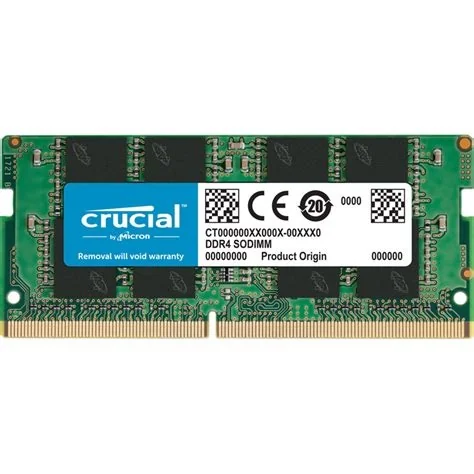
The global RAM shortage has driven DDR4 and DDR5 prices to record highs, leaving PC builders and gamers scrambling for affordable memory. The surge stems from a mismatch between soaring demand for high‑performance devices and limited chip production capacity. While new factories are in the pipeline, you can still cut costs by optimizing the RAM you already own.
Why RAM Prices Have Skyrocketed
Demand for high‑speed memory has exploded as gamers, AI researchers, and data‑center operators all chase faster performance. At the same time, semiconductor fabs have struggled to keep up, especially for the latest DDR5 modules. The resulting supply bottleneck has forced retailers to raise prices dramatically, turning even modest upgrades into pricey investments.
Tesla’s Plan to Build a RAM Factory
In a recent earnings call, Tesla announced that it is evaluating a dedicated RAM production line. By leveraging its massive manufacturing expertise, Tesla could become a new source of memory chips, challenging established players and potentially easing the current shortage. If the plan moves forward, the added competition may help bring prices back toward more reasonable levels.
How You Can Optimize Your Current Memory
Until new supply stabilizes, you can squeeze extra performance out of the RAM you already have. Follow these quick steps to free up valuable memory without spending a dime:
- Close unused programs and browser tabs. Every idle app consumes a slice of your RAM.
- Disable unnecessary startup applications. Fewer background processes mean more memory for what you actually need.
- Keep your operating system and drivers up to date. Updates often include memory‑management improvements.
- Use built‑in tools (Task Manager on Windows, Activity Monitor on macOS) to spot memory hogs. Killing the biggest offenders can instantly boost responsiveness.
- Adjust virtual memory settings if you’re comfortable tweaking system preferences. A well‑tuned page file can act as a safety net when physical RAM runs low.
Smart Upgrade Choices in a Tight Market
If you do need more memory, think strategically before buying the latest DDR5 sticks. Assess your actual workload: many everyday tasks run just fine on DDR4, which remains considerably cheaper. When you do decide to upgrade, consider:
- Capacity first. Adding a modest 8 GB module may be enough to smooth out performance.
- Speed balance. Matching your CPU’s supported frequencies avoids overspending on ultra‑fast modules you can’t fully utilize.
- Future‑proofing. If you anticipate heavy AI or gaming use soon, a modest DDR5 purchase now could save a later upgrade.
What to Watch for in the Coming Months
Keep an eye on Tesla’s announcements—any move toward an operational RAM fab could shift market dynamics quickly. Also watch for any new capacity expansions from traditional chip makers, as they often roll out incremental production boosts when demand spikes. By staying informed, you’ll be ready to act when prices start to ease.


