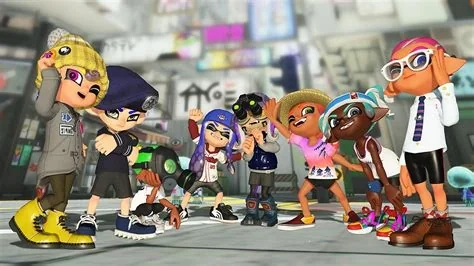
Splatoon 3’s version 11.0.1 patch eliminates the notorious ink‑flow glitch, delivering smoother ink spray and more reliable movement during battles. The update also refines weapon balance and adjusts ink consumption rates, giving you a fresher feel in both casual Turf Wars and competitive matches. Updating now ensures you experience the intended gameplay without the previous lag.
Ink-Flow Glitch Fixed
The core of the patch is a back‑end tweak to the physics engine that smooths the transition between ink‑spray and player movement. In practice, you’ll notice fewer “dead zones” where ink fails to stick and more consistent splash patterns across all maps. The fix feels subtle at first, but it quickly becomes obvious during fast‑paced fights.
Balance Tweaks in 11.0.1
Alongside the glitch fix, Nintendo adjusted several weapon and gear stats to keep the meta fresh.
- Splat Roller – moves up a notch in the tier list thanks to a slightly larger splash radius.
- Dual‑Squelcher – sees a modest dip, making it a bit less dominant in close‑quarters maps.
- Octo‑Shift set – retains its speed boost but now pairs more effectively with the Ink Saver (Main) ability after ink‑consumption rates were recalibrated.
- Ink Saver (Main) – becomes a stronger choice for prolonged engagements, especially when combined with fast‑move gear.
Competitive Implications
For teams gearing up for regional qualifiers, the smoother ink‑flow translates to more reliable reads on opponent movements. The slight weapon reshuffle may shift load‑out preferences, with the Splat Roller gaining traction in close‑range maps while the Dual‑Squelcher requires a tactical rethink. Expect the next Splatfest meta to reflect these adjustments.
What Casual Players Should Do
If you’ve been frustrated by ink that feels “sticky” or unresponsive, jump into a Turf War right after updating—you’ll feel the difference immediately. Consider swapping out older gear like Ink Resistance for the newly highlighted Ink Saver (Main) to extend your ink supply and stay in the fight longer.
How to Install the Patch
1. Open the Nintendo Switch Home menu and select the Splatoon 3 icon.
2. Choose “Software Update” → “Via Internet.”
3. Allow the download to complete (the patch is roughly 1.2 GB).
4. Restart the game and enjoy the refreshed experience.