
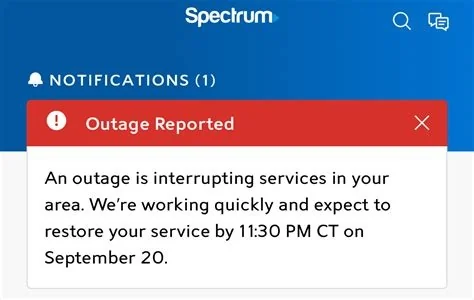
If you’re wondering whether Spectrum is down right now, the fastest way to find out is to visit the official Spectrum status page. It shows live incident reports, estimated repair times, and any ongoing service degradations in your area. By checking this single source, you can confirm the outage instantly and decide if you need to troubleshoot your home network.
How to Check Spectrum’s Real-Time Status
Using the Official Status Page
The Spectrum status page aggregates all reported incidents across the network. You’ll see a clear list of active outages, the regions affected, and an ETA for restoration. The interface updates every few minutes, so you can rely on it for the most current information without searching elsewhere.
Why Outages Matter to You
For many households, Spectrum is the backbone of remote work, online schooling, and streaming. A sudden loss of connectivity can stall a Zoom call, freeze a homework session, or interrupt a binge‑watch marathon. Small businesses that depend on cloud services may see revenue dip if the internet disappears for even a few minutes.
How Spectrum Communicates Outages
When an incident occurs, Spectrum posts a detailed entry that includes the start time, affected services, and steps the engineering team is taking. The page also links to a troubleshooting guide that helps you rule out local issues—like an outdated modem firmware or a malware infection—before you call support.
What Typically Triggers Service Disruptions
Most large‑scale outages stem from fiber cuts, hardware failures, or scheduled maintenance. Weather events such as heavy rain or wind can damage underground cables, while routine upgrades intended to boost bandwidth may temporarily interrupt service. Understanding these root causes can help you set realistic expectations for repair times.
How the Industry Leverages Crowd Data
Spectrum’s monitoring tools automatically flag regions where multiple users report problems. This crowd‑generated signal gives engineers a geographic fingerprint, allowing crews to be dispatched to the exact node that’s misbehaving. The result is a faster detection‑to‑repair cycle, turning user reports into a valuable operational asset.
Steps You Can Take During an Outage
- Check the status page: Verify whether the outage is network‑wide or isolated to your address.
- Restart your modem: Power cycling often clears temporary glitches.
- Update firmware: Ensure your router’s software is current to avoid compatibility issues.
- Run a malware scan: Infections can mimic ISP problems by throttling traffic.
- Contact support only if needed: If the status page shows no outage, your issue is likely local.
- Report the problem: Submitting a report helps the system detect and fix issues faster for everyone.
What to Expect After Service Is Restored
Once Spectrum resolves the incident, the status page will update with a completion timestamp and a brief summary of the fix. Your devices may need a quick reboot to re‑establish a stable connection, but you should be back online within minutes. Keeping an eye on the status page after restoration can also confirm that the network is fully stable.


