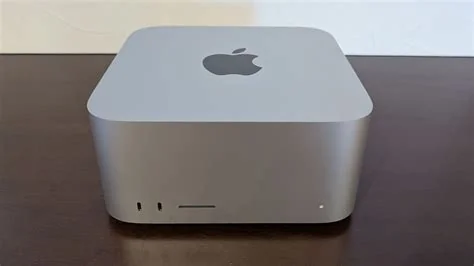
Running a large language model on a Mac Studio M3 Ultra is now as simple as installing a single package. The machine’s unified memory and Metal‑optimized GPU let you host cutting‑edge LLMs without any cloud calls, giving you instant, private inference right on your desk. You’ll see lower latency, zero API fees, and full control over your data.
Why Run LLMs Directly on Your Mac Studio?
Local inference eliminates the need for expensive cloud subscriptions and protects sensitive prompts from leaving your network. With the M3 Ultra’s powerful GPU, token generation feels snappy, and the integrated memory pool lets you load models that would otherwise require a server‑grade rig.
Getting Started with Foundry Local
Installation via Homebrew
Open Terminal and run the following commands. The process takes just a few seconds:
- brew tap microsoft/foundrylocal
- brew install foundrylocal
- foundry –version
Running Your First Model
After installation, a single command spins up a model on the GPU:
- foundry model run qwen2.5-0.5b –device GPU
The tool automatically exposes a /v1/chat/completions endpoint, so any OpenAI‑compatible client can connect to http://localhost:8080/v1 without needing an API key.
Alternative GUI Option: LM Studio
If you prefer a visual interface, LM Studio provides a drag‑and‑drop workflow. Download the app, select a model from the built‑in catalog, and launch a chat window with one click. The GUI handles hardware selection behind the scenes, letting you focus on prompt engineering instead of command‑line details.
Performance and Privacy Benefits
Running locally cuts round‑trip latency to near zero, which feels like a conversation with a friend rather than a delayed server response. Because all computation stays on your Mac, you avoid data exposure risks and comply with strict regulatory requirements without extra configuration.
Choosing the Right Model for Your Workflow
Model size matters. Smaller models (under 1 B parameters) run comfortably on the GPU, while larger 4‑B or 7‑B variants may fall back to the CPU if a Metal‑optimized version isn’t available. Experiment with a few options to find the sweet spot between speed and capability that matches your project’s needs.
Next Steps for Developers
Integrate the local endpoint into your existing scripts by swapping the base URL to http://localhost:8080/v1. You’ll keep the same request format, so no code rewrite is required. From there, iterate faster, test security locally, and eliminate recurring cloud costs.