
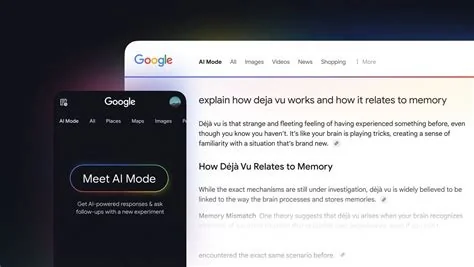
Google’s latest UI tweak adds hover‑pop‑up cards to AI Overviews, letting you see a site’s name, favicon and a short description before you click. The cards appear on desktop when you hover over a link and feature larger, clearer icons on both desktop and mobile, giving publishers a clearer path to traffic.
How the Hover‑Pop‑Up Cards Work
When you move your cursor over a link inside an AI‑generated answer, a compact card slides into view. The card displays the source’s name, its logo and a brief snippet that summarizes the page’s relevance. This instant preview helps you decide whether the link is worth following without leaving the search page.
Desktop Experience
On desktop, the pop‑up is triggered by a simple hover. The design uses a slightly larger icon than before, so the link stands out among the surrounding text. If you keep the cursor on the card, you can read the short description; moving away dismisses it instantly.
Mobile Experience
On mobile devices, tapping a link expands the same card in place of the usual underlined text. The larger icon makes it easier to tap, and the brief description appears right below, keeping the interaction smooth on small screens.
Why the Change Matters for Publishers
Visibility has been a pain point ever since AI Overviews started summarizing answers without a traditional list of results. By surfacing source details upfront, the hover cards give you—yes, you, the content creator—a better chance to earn clicks. Clearer attribution can translate into higher click‑through rates, especially for niche sites that rely on brand recognition.
What to Expect Next
Google says this is just the first step. Future updates may add richer metadata, such as rating scores or publication dates, and adaptive layouts that respond to different device sizes. Keep an eye on your analytics; the new cards could shift traffic patterns, and early adopters will likely see the biggest benefit.


