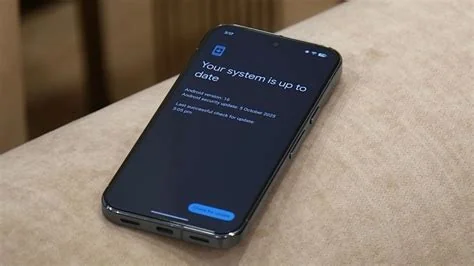
Google has rolled out Android 17 Beta 1, codenamed “Cinnamon Bun,” to eligible Pixel phones. The beta introduces a revamped adaptive app framework, a lower‑latency media codec, an early privacy dashboard, and performance tweaks that shave seconds off boot time. If you’re a developer or a Pixel owner, this build lets you test the next‑gen Android experience today.
What’s New in Android 17 Beta 1
Android 17 focuses on three core areas: adaptable user interfaces, richer media handling, and tighter privacy controls. Each improvement is designed to feel natural on foldable devices, large‑screen phones, and everyday smartphones.
Adaptive App Framework
The new framework lets apps resize, reflow, and adjust UI elements on the fly. Developers can now test responsive layouts on real hardware without waiting for a full‑release SDK, which is a big win for foldable and tablet experiences.
Media Codec Enhancements
A refreshed MediaCodec stack reduces latency and adds support for high‑resolution audio streams. Early tests show up to a 15 % drop in audio lag, making streaming and gaming feel smoother.
Privacy Dashboard and Permissions
An early version of the privacy dashboard gives users more granular control over app permissions. Security teams can preview how these controls look and fine‑tune user education flows before the final OS ships.
Impact for Developers
With the adaptive APIs now live, you can iterate on UI responsiveness directly on Pixel devices. Media developers gain access to the updated codec pipeline, opening possibilities for higher‑quality playback. The privacy dashboard also offers a sandbox for testing permission‑related features.
What Pixel Users Should Expect
The beta is still a testing ground, so occasional bugs and performance hiccups are normal. Google’s “continuous drumbeat” update strategy means feedback loops are tighter—your crash reports and feature requests will shape the final Android 17 release.
How to Opt In
- Open Settings on your eligible Pixel device.
- Navigate to System → Advanced → System update.
- Select “Join the Android 17 Beta” and follow the on‑screen prompts.
- Restart your phone to begin the installation.
Once you’ve opted in, you’ll be among the first to experience Android 17’s adaptive UI, improved media performance, and enhanced privacy tools. Your feedback will directly influence the OS that billions of users will eventually run.