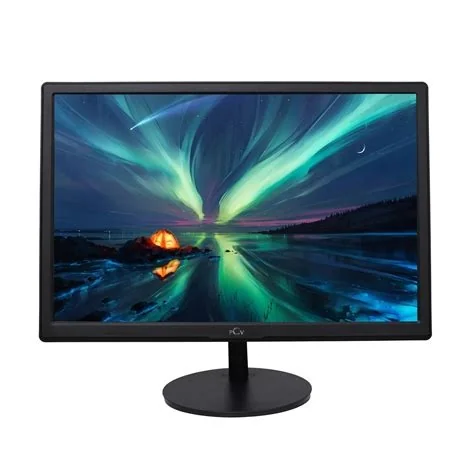
Looking for the monitor that delivers cinema‑grade colors, razor‑sharp gaming performance, and reliable color accuracy for design work? The ASUS ROG Swift OLED PG27UCDM packs a 27‑inch 4K QD‑OLED panel, 144 Hz refresh, 1 ms response, and factory‑calibrated color modes, making it the top choice for gamers and creators who won’t settle for less.
Why the ASUS ROG Swift OLED Stands Out
Quantum‑Dot OLED Panel for Vivid Colors
Its QD‑OLED technology blends quantum‑dot saturation with OLED’s perfect blacks, so you get punchy hues and infinite contrast in a single screen. That combination lets you spot details in dark scenes that other panels simply miss.
Gaming Performance: 144 Hz Refresh and 1 ms Response
At 144 Hz the display keeps fast‑paced action buttery smooth, while the 1 ms gray‑to‑gray response wipes out motion blur. You’ll notice the difference the moment you start a competitive match.
Creative Work: Color Accuracy and Calibration
Factory‑calibrated sRGB and Adobe RGB modes give you reliable color fidelity straight out of the box. Whether you’re grading video or fine‑tuning UI mockups, the monitor delivers the precision you need without extra tweaking.
Budget‑Friendly Alternatives for Home Office
Ergonomic Features You’ll Appreciate
Look for adjustable stands, flicker‑free backlights, and low‑blue‑light modes. Those details reduce eye strain during long video calls and keep your neck comfortable while you work.
IPS Panels with USB‑C Connectivity
Modern IPS monitors often include built‑in USB‑C hubs, letting you power a laptop and transfer data with a single cable. They provide solid color accuracy at a fraction of the OLED price.
- 27‑inch size offers ample screen real estate for multitasking.
- 144 Hz refresh at 1440p delivers smooth scrolling for spreadsheets and occasional gaming.
- USB‑C power delivery simplifies desk clutter.
Best Monitors for Console Gaming
HDMI 2.1 Support and High Brightness
HDMI 2.1 unlocks 4K at 120 Hz, variable refresh rate, and auto‑low‑latency mode—features that PlayStation and Xbox rely on for fluid performance. A bright panel ensures HDR highlights stay vivid even in well‑lit rooms.
Avoiding OLED Burn‑In for Gaming
Static HUD elements can cause burn‑in on OLED screens. High‑refresh LCDs sidestep that risk while still delivering the frame rates you crave.
Choosing the Right Size: 24‑inch vs 27‑inch
A 24‑inch monitor offers a balanced footprint for tight desks, while a 27‑inch screen adds roughly 30 % more horizontal workspace, boosting productivity. Just remember that a 27‑inch 4K panel can make text appear tiny if you sit too close, so match resolution to your viewing distance.
Flexibility and Connectivity Matters
Multiple inputs—HDMI, DisplayPort, USB‑C—let you switch between work laptop, gaming console, and media player without swapping cables. An adjustable stand that pivots between portrait and landscape modes also helps developers and designers who need vertical space for code or long documents.
Final Verdict: Match Features to Your Needs
If you crave unrivaled color depth and can stretch your budget, the ASUS ROG Swift OLED PG27UCDM is the clear front‑runner. For home‑office tasks, a calibrated 27‑inch IPS with ergonomic tweaks hits the sweet spot. Console gamers should prioritize HDMI 2.1 and high brightness, even if that means choosing a high‑refresh LCD. Whatever size you pick, ensure the monitor offers the inputs and adjustability you’ll actually use—your workflow will thank you.