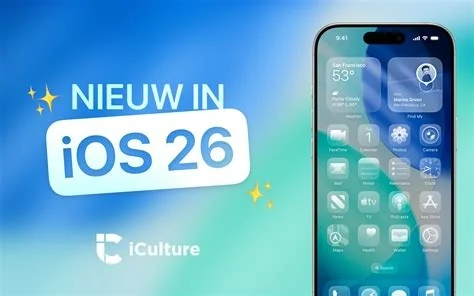
iOS 26.3 brings three core upgrades: a more reliable Bluetooth connection that cuts drop‑outs, a streamlined data‑migration wizard that moves your content with a single tap, and a new notification‑forwarding option that lets you push alerts to Android, Windows or Linux devices via Bluetooth. These tweaks target power users and IT teams looking for smoother daily workflows.
Bluetooth Improvements
The update refines the Bluetooth stack, reducing connection interruptions with headphones, keyboards and smart‑home hubs. While it isn’t a brand‑new protocol, the under‑the‑hood tweaks make pairing faster and keep audio streams stable, so you won’t lose a beat during a workout or conference call.
Simplified Data Migration
Moving from an older iPhone to a new one is now handled directly from Settings. The wizard launches without the separate “Quick Start” screen, eliminating the dreaded black screen that sometimes appears when iCloud backups can’t sync in time. Most users see the transfer complete in minutes.
Cross‑Platform Notification Forwarding
A new Settings section lets you select a Bluetooth‑enabled Android phone, Windows PC or Linux machine as a notification sink. A lightweight companion app translates Apple’s push format into a generic BLE payload, so you can glance at texts or calendar reminders without pulling out your iPhone. The feature isn’t a full “continue on other device” experience, but it’s a solid first step.
New Dynamic Wallpapers
Apple adds a fresh set of dynamic backgrounds that shift with the time of day. They don’t affect performance, but they give the home screen a subtle visual refresh that many users appreciate.
Device Compatibility
All iPhone 8 and later models, as well as iPad 5th generation and newer, are eligible for iOS 26.3. The update appears in Settings → General → Software Update and can be installed over Wi‑Fi or cellular.
Impact for Developers and IT Teams
Developers will notice the tighter Bluetooth handling, which can simplify low‑latency audio and custom‑hardware integrations. IT administrators gain a more robust migration path, cutting provisioning time and reducing downtime during device refresh cycles.
Potential Drawbacks
The notification‑forwarding feature requires a companion app that isn’t yet on the Google Play Store, so early adopters must sideload the APK. This adds a step and may raise security concerns for enterprise environments.
User Experience Highlights
Jenna Liu, a senior IT manager, reported a 20 % reduction in provisioning time after testing iOS 26.3 on a fleet of 150 iPhones. She noted that the notification forwarding works for basic alerts, but the companion app still feels like a beta version.
How to Update
If you haven’t updated yet, open Settings, tap General, then Software Update. Back up your device first—minor updates can still surprise you—but the process is quick, and the new features start working right away.