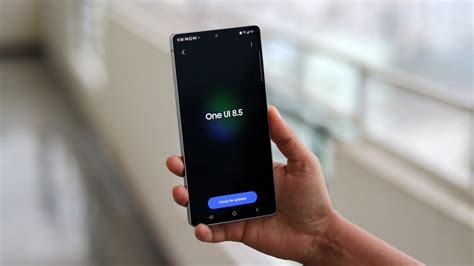
Samsung’s One UI 8.5 beta introduces on‑screen widget resizing, ready‑made camera presets, a network‑aware battery saver, and priority notifications. Available on the Galaxy S25 series, these tweaks aim to give users finer home‑screen control, faster photo setup, longer battery life, and clearer alerts before the full rollout with the upcoming Galaxy S26.
New Widget Controls in Home Up
The Home Up editor now features sliders that let users adjust the size of widget content directly on the home screen. This on‑screen control removes the need for a separate editing mode and provides a more precise layout experience.
How Widget Resizing Works
- Open the Home Up editor on a compatible device.
- Select a widget and use the visible size sliders to expand or shrink its content.
- Changes apply instantly, allowing real‑time customization.
Pro Camera Presets for Faster Shooting
One UI 8.5 adds a library of pre‑configured camera settings tailored to common scenarios such as low‑light, portrait, and ultra‑wide shooting. Users can switch to a preset with a single tap, eliminating manual adjustments of ISO, shutter speed, and focus.
Network Battery Saver Extends Battery Life
The new Network Battery Saver intelligently limits background data usage when the device detects a low‑battery state. By throttling network activity for non‑essential apps while keeping core services like messaging active, the feature helps extend screen‑on time without compromising primary functionality.
Priority Notifications and Smart Missed Call Banner
Priority Notifications let users mark contacts or apps as high priority, ensuring their alerts bypass Do‑Not‑Disturb and appear prominently on the lock screen. A smart missed‑call banner also surfaces recent missed calls directly in the notification shade, reducing the chance of overlooking important calls.
Beta Rollout and Device Coverage
The One UI 8.5 beta is currently available for the Galaxy S25, S25+, and S25 Ultra. Early adopters have confirmed that widget resizing and the smart missed‑call banner are functional, while Pro camera presets and Network Battery Saver are expected in upcoming beta builds.
Evolution of One UI
Since its debut in 2018, One UI has focused on a clean, single‑handed design language. Each major release blends visual refreshes with functional upgrades. The shift from One UI 8 to 8.5 emphasizes deeper customization and smarter system management rather than sweeping aesthetic changes.
User Impact and Market Implications
For Samsung owners, the immediate benefits include a more adaptable home screen, streamlined notification handling, and quicker photo setup. The Network Battery Saver positions Samsung to compete more closely with rivals that emphasize aggressive power‑management features, potentially becoming a differentiator for the upcoming Galaxy S26 series.
Looking Ahead to Galaxy S26
While One UI 8.5 remains in beta, the full feature set is slated to ship with the Galaxy S26 later this year. Samsung’s incremental approach—delivering tangible usability upgrades while preserving the familiar One UI aesthetic—aims to keep the platform fresh without alienating existing users.