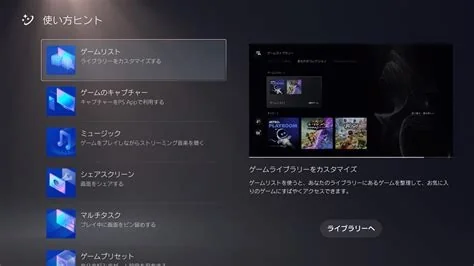
PlayStation 5’s latest system software, version 26.01‑12.60.00, introduces a Quick‑Join shortcut directly in the Welcome Hub, letting players jump into a friend’s game with a single tap. The patch also refines background download handling, media gallery UI, and voice‑chat latency, delivering smoother multiplayer sessions and overall system stability. It arrives as an automatic download for connected consoles, ensuring all users receive the enhancements without manual effort.
What’s New in Version 26.01‑12.60.00
Quick‑Join Shortcut in the Welcome Hub
The Welcome Hub now displays a Quick‑Join button next to friends who are currently in a game. Selecting the button launches the game and joins the session instantly, removing the need to navigate through the library or start the title manually.
Background Download Improvements
System resources are better allocated during gameplay, reducing interruptions caused by large updates or DLC downloads.
Media Gallery UI Tweaks
Minor visual adjustments make browsing screenshots and video clips faster and more intuitive.
Voice‑Chat Overlay Enhancements
Latency in party voice chat is lowered, providing clearer communication during multiplayer sessions.
Why This Update Matters for Players
- Faster multiplayer access: Quick‑Join streamlines spontaneous co‑op play.
- Reduced interruptions: Improved background download handling keeps gameplay smooth.
- Cleaner UI: Updated media gallery and voice‑chat overlay enhance overall user experience.
Benefits for Developers
- Optimized resource management: Background download refinements free up CPU/GPU cycles for smoother game performance.
- Enhanced multiplayer engagement: Easier friend joining can increase session length and player retention.
- Improved perception of quality: Lower voice‑chat latency contributes to a more polished multiplayer experience.
How to Install the Update
Navigate to Settings → System → System Software → System Software Update. If the console shows a lower version, select “Update Now.” The download typically takes 10–20 minutes on a broadband connection, after which the console restarts to apply the changes. For automatic installation, keep the console in Rest Mode with “Stay Connected to the Internet” enabled.
Future Outlook for PlayStation 5
While this patch does not add new services or hardware features, its focus on social connectivity and system polish demonstrates Sony’s commitment to extending the PlayStation 5’s relevance. As the console progresses through its lifecycle, incremental updates like this are expected to continue enhancing the platform’s value for both gamers and developers.