
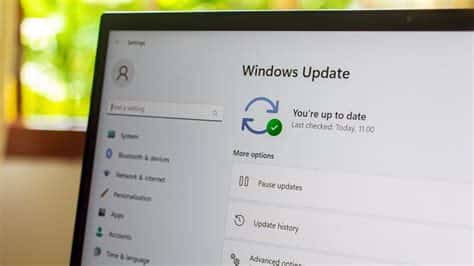
The January 2026 Windows Update delivers five critical security fixes across Windows 11, Windows Server 2022, and the core Office suite. It closes a actively‑exploited Write‑What‑Where kernel flaw, a Print Spooler privilege‑escalation bug, a WSL kernel issue, and a zero‑day Office remote‑code execution vulnerability, while adding Azure‑focused hardening for servers plus optional feature improvements for future releases.
What the Update Includes
Windows 11
The cumulative patch addresses exploits targeting the kernel, graphics stack, and Windows Subsystem for Linux (WSL). Key fixes include:
- Write‑What‑Where kernel vulnerability – actively weaponised in the wild.
- Print Spooler privilege‑escalation flaw – linked to early‑2025 ransomware campaigns.
- Additional security revisions for the graphics driver and WSL components.
Windows Server 2022 (KB5073457)
Server administrators receive enhanced protection for remote services and new default hardening options:
- Remote Desktop Services (RDS) and SMB protocol patches – mitigate network‑based attacks.
- Built‑in option to enforce TLS 1.3 for Azure‑connected servers without extra scripting.
- Inclusion of previously preview‑only features, now released as part of the cumulative update.
Office Suite (Word, Excel, PowerPoint)
An urgent zero‑day vulnerability that allowed remote code execution through crafted documents is now fixed. The patch protects against targeted phishing attacks that exploited the flaw.
How to Install the Update
For Windows 11 Users
- Open Settings → Windows Update.
- Click Check for updates.
- If the new build appears, select Download and install.
For Enterprise Environments
Use Windows Server Update Services (WSUS) or Microsoft Endpoint Manager to stage the KB5073457 rollout. The update is flagged as “Critical” and can be forced outside regular maintenance windows.
Why It Matters Now
Recent ransomware groups have chained multiple zero‑day exploits to maintain persistence across both consumer and enterprise networks. By bundling critical security patches with feature enhancements, Microsoft demonstrates a “security‑first” development cadence, emphasizing cloud‑centric hardening as hybrid workloads expand.
Implications for Users and Businesses
Home Users
Missed reboots could leave systems vulnerable to ransomware that spreads via network printers. Promptly applying the update is the simplest way to stay protected.
IT Administrators
The comprehensive KB5073457 update reduces the need for piecemeal patch management, but admins must verify Azure TLS 1.3 defaults against legacy applications.
Security Community
Microsoft’s rapid disclosure and remediation of the Office zero‑day reinforce the value of coordinated vulnerability reporting and transparent “KB” tracking.
Looking Ahead
Future Windows 11 releases are expected to refine the user interface and deepen AI‑driven productivity integration. The solid security foundation laid by the January 2026 update will support these upcoming enhancements.


