
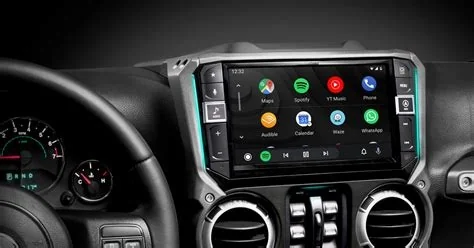
Google has rolled out Android Auto 16.0, the first major visual overhaul since the platform’s launch. The update introduces a redesigned media player with larger controls, a cleaner UI, and internal enhancements that prepare the system for future features. It is now available for all compatible devices, delivering a safer and more intuitive in‑car experience.
Redesigned Media Player Overview
Larger Controls and Cleaner Layout
The new media player adopts a modern, high‑contrast layout. Controls are enlarged and redistributed across the screen, making them easier to reach without taking eyes off the road. Track titles, album art, and playback progress are displayed in an ordered fashion, reducing visual clutter and improving readability in various lighting conditions.
Internal Improvements and Future Readiness
Beyond the visual refresh, Android Auto 16.0 bundles internal upgrades that lay the groundwork for upcoming functions. While Google has not disclosed every detail, the enhancements are described as preparing the system for future capabilities, signaling a step toward a more unified in‑car experience.
Android Auto Evolution Overview
Since its debut in 2014, Android Auto has evolved from a phone‑mirroring interface to a purpose‑built infotainment solution. Earlier versions focused on incremental performance tweaks and app additions, leaving the visual design largely unchanged. Version 16.0 marks the first substantial UI redesign, aligning the platform with modern design standards.
Impact on Drivers
The larger, well‑spaced controls reduce mis‑taps, a common complaint among drivers using the system for music and navigation. The cleaner interface highlights essential information while secondary elements recede, helping drivers stay focused and minimizing distraction.
Update Delivery for Vehicles
Vehicles with Android Auto integrated into their infotainment systems receive the update via over‑the‑air (OTA) mechanisms, provided the head unit supports the required Android version. If OTA is unavailable, users can update the Android Auto app on their smartphones, which then propagates the new UI to the car’s display.
Implications for App Developers
With the refreshed UI guidelines, developers may need to adjust the sizing and placement of media controls within their apps to match the larger touch targets. Updated design patterns encourage a consistent experience across third‑party services, ensuring that apps integrate seamlessly with the new interface.
Summary of Android Auto 16.0 Upgrade
Android Auto 16.0 delivers a significant visual and functional upgrade, modernizing the platform’s look and feel while setting the stage for future innovations. As the rollout continues, drivers can expect smoother, less cluttered interactions with their favorite apps, and the automotive industry will watch closely to see how this redesign influences upcoming in‑car technology integrations.


