
Apple Urges Hundreds of Millions to Restart iPhones Amid Critical iOS‑RCE‑2026 Vulnerability
What sparked the worldwide restart advisory?
On January 12, 2026 Apple’s security team disclosed a kernel‑level flaw that researchers have labeled iOS‑RCE‑2026. The bug lives in a low‑level firmware component that’s been shipped in every iPhone from the iPhone 6S onward. A specially crafted push notification—or a malicious web link—can trigger the vulnerability, bypassing iOS’s sandbox and granting the attacker low‑level system privileges.
Apple hasn’t seen a working exploit in the wild, but the sheer size of the attack surface—hundreds of millions of devices—prompted a rare, user‑driven mitigation: reboot every iPhone now, and patch it later with iOS 17.5.
Why a simple reboot can buy you time
iOS stores the kernel and other critical code in volatile memory (RAM). The iOS‑RCE‑2026 bug lets malicious code linger there even after the triggering notification is dismissed. Restarting forces the device to:
- Erase all RAM, wiping any resident malicious payload.
- Reload the kernel from a signed, immutable image.
- Re‑validate the Secure Enclave and run the encrypted boot‑chain checks that guarantee a clean state.
In short, a reboot breaks the attacker’s foothold until Apple can deliver a permanent software fix.
How to restart every iPhone model
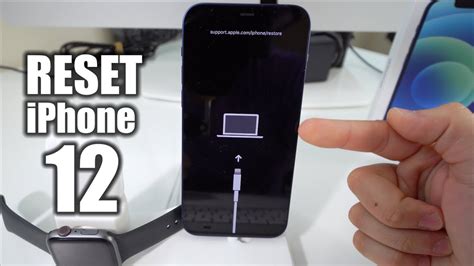
If your hardware buttons work, follow the standard power‑off sequence. If a button is stuck or the screen is frozen, use the force‑restart method. Users with a non‑functional side button can also rely on AssistiveTouch.
Standard restart (all models)
Press and hold the Side button and either Volume Up or Volume Down until the “slide to power off” slider appears. Slide, wait a few seconds, then press the Side button again until the Apple logo shows up.
Force‑restart (frozen screen)
Quickly press and release Volume Up, then Volume Down, and finally hold the Side button until the Apple logo appears.
Model‑specific notes
- iPhone 15 / 15 Pro: Side + Volume Up for standard; same three‑button combo for force‑restart.
- iPhone 14 / 14 Pro: Identical to the 15 series.
- iPhone 13 / 13 Mini / 13 Pro: Side + Volume Up for standard; Volume Up → Volume Down → Side for force‑restart.
- iPhone 12 and earlier: Use Side (or Top) + Volume Up for standard; same three‑button sequence for force‑restart.
AssistiveTouch workaround
Go to Settings → Accessibility → Touch → AssistiveTouch, enable it, then tap the on‑screen menu, choose Device, press and hold Lock Screen until the power‑off slider appears. This method is a lifesaver for devices with broken hardware buttons.
Immediate steps after the reboot
- Open Settings → General → Software Update and install any pending iOS version, especially the upcoming 17.5 patch.
- Verify that any Apple‑related email or message really comes from an apple.com domain.
- If you notice authentication glitches, sign out of your Apple ID and sign back in.
- Keep an eye on Apple’s official security page for the detailed bulletin.
Impact on enterprises and IT teams
Corporate iOS fleets face the same exposure. Many organizations already use Mobile Device Management (MDM) solutions, which can push a remote restart command to enrolled devices. IT departments should also:
- Audit VPN and authentication profiles for signs of compromise.
- Communicate the restart procedure clearly to employees, highlighting the AssistiveTouch option for users with hardware issues.
- Prioritize the rollout of iOS 17.5 as soon as it becomes available.
Practitioners Perspective
Emily Chen, senior security engineer at a multinational retailer, says, “We’ve never asked users to reboot their phones en masse before. The fact that Apple chose this route tells you how serious the kernel bug is. Our MDM platform let us trigger a silent restart on 85 % of devices within an hour, which bought us the time we needed to verify that no credentials were exfiltrated.”
Raj Patel, lead iOS developer at a fintech startup, adds, “From a developer’s standpoint, the reboot clears the volatile state that the exploit relies on. It’s a low‑cost, high‑impact mitigation. Our biggest challenge was making sure every employee knew the exact button combo for their model—especially the older iPhone 6S and 7 devices still in use.”
Looking ahead
Apple’s decision to publish a public restart recommendation marks a shift toward greater transparency in emergency response. A detailed security bulletin is expected in the coming weeks, and iOS 17.5 will seal the kernel hole permanently.
Until then, the safest move is simple: reboot, update, and stay vigilant. A few seconds of downtime now could prevent a far more disruptive breach later.


