
iOS 26.2.1 is a minor point‑release that brings native support for the second‑generation AirTag, along with a collection of under‑the‑hood bug fixes that improve overall stability and performance on iPhone and iPad devices. The update is small, installs quickly, and ensures the newest AirTag works out‑of‑the‑box while tightening the operating system’s reliability.
What’s Inside iOS 26.2.1
AirTag 2 Compatibility
The headline feature of iOS 26.2.1 is full compatibility with the second‑generation AirTag. Users can pair, locate, and manage the new accessory without waiting for a future software update. The updated AirTag offers longer battery life and a slightly larger form factor, and the OS now recognizes it instantly.
Bug Fixes and Performance Tweaks
Apple lists “unspecified bug fixes” in the release notes, but the timing suggests targeted improvements to:
- Memory‑management issues that surfaced after the major iOS 26.2 launch.
- Background‑task scheduling glitches affecting older devices.
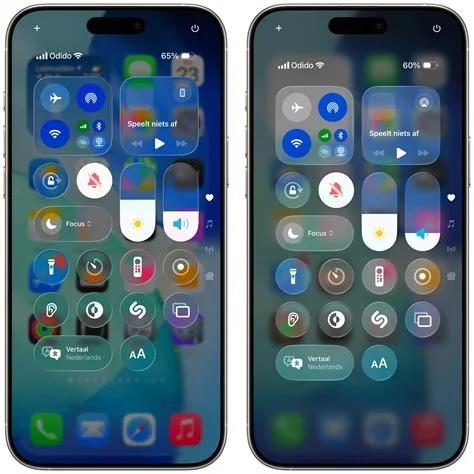
- The Liquid Glass rendering pipeline, enhancing visual smoothness.
Impact on Users
- Immediate AirTag 2 readiness – No additional steps required beyond installing the update.
- Enhanced stability – Smoother performance on both newer and legacy iPhone models.
- Seamless experience – Consistent behavior across iPhone and iPad thanks to unified iOS 26.2.1 version.
Impact on Developers
- CoreLocation & Find My API expansion – New accessory framework methods enable richer item‑tracking experiences.
- Cross‑device compatibility – Apps built for iOS 26.2.1 automatically support AirTag 2 without extra SDK updates.
- Testing simplification – Unified iOS and iPadOS versions reduce fragmentation for cross‑platform apps.
Ecosystem Cohesion
Apple’s decision to align iOS and iPadOS at version 26.2.1 reinforces its “one‑software‑platform” strategy. Feature parity across mobile devices simplifies development, testing, and user adoption, ensuring that new hardware like AirTag 2 integrates smoothly into the broader Apple ecosystem.
Recommendation and How to Update
For iPhone and iPad owners, the best course of action is to install iOS 26.2.1 as soon as it appears in Settings → General → Software Update. The update is lightweight, installs quickly, and delivers essential compatibility for the newest AirTag while quietly tightening overall system reliability.


