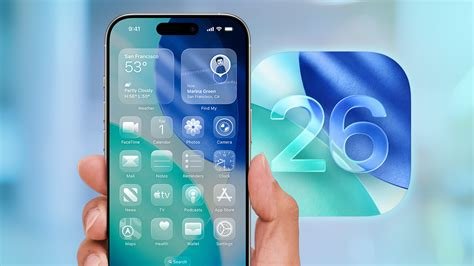
iOS 26 arrived on iPhone 11 and newer models five days ago, but adoption is lagging as users grapple with storage requirements and a series of incremental updates. To upgrade safely, verify device eligibility, free at least 4 GB of space, back up data, enable the new Security Response feature, and install the initial 26.0.1 patch. This guide covers the current rollout, adoption challenges, and upcoming releases.
Official Launch: Eligibility and First Steps
Apple limited the initial rollout to iPhone 11 and newer devices. Follow these steps for a smooth upgrade:
- Automatic download only – Turn on “Download iOS Updates” while keeping “Install iOS Updates” off. This lets the device fetch the update in the background without forcing an immediate install.
- Enable Security Response – Activate the new “Security Response” flag so Apple can push critical fixes without a full OS version bump.
- Free up at least 4 GB of storage – The installer is roughly 3.7 GB and requires additional space for temporary files.
- Back up via iCloud or a computer – A full backup protects against rare bricking issues caused by fragmented storage.
- Install the 26.0.1 patch – This first point‑release resolves early bugs such as Wi‑Fi dropouts on iPhone 13 Pro Max and a camera‑app crash on early betas.
Adoption Challenges: Why Only 16% Have Updated
Recent data shows roughly 16 % of iPhone 11‑plus devices have moved to iOS 26, making it one of the slowest rollouts in recent history. Contributing factors include:
- Perceived lack of new features – Early communication highlighted background AI improvements that failed to capture mainstream interest.
- Storage constraints – Many users still run 64 GB models, where freeing 4 GB can be cumbersome.
- Update fatigue – Frequent minor releases (26.0, 26.0.1, 26.2, 26.2.1) encourage deferral until a “big” update arrives.
Devices still on iOS 25.x remain exposed to known exploits, underscoring the urgency of upgrading.
Upcoming iOS 26.2.1 Patch and Expected Fixes
The next public update, expected by January 23, aims to address several pain points:
- Refine Security Response – Reduce the need for full‑system updates for critical patches.
- Bluetooth connectivity fixes – Resolve glitches reported on iPhone 14 series after the initial rollout.
- Battery Health Optimizer – Learn charging patterns to extend battery cycle count, responding to complaints of premature degradation.
Users who have already enabled “Security Response” will receive background improvements as soon as the patch is released.
iOS 26.4 Leak: Apple Intelligence, Siri Enhancements, and Health Redesign
Leaked details about the forthcoming iOS 26.4 indicate a major AI push:
- Apple Intelligence – An on‑device large‑language‑model stack powering a smarter Siri with context‑aware voice commands.
- On‑device processing – Reduces latency and protects privacy by handling AI inference locally.
- Health app overhaul – AI‑generated insights (e.g., sleep quality changes linked to caffeine) and a new “Wellness Score” metric.
- Secure Enclave VPN communication – Encrypted channel for third‑party VPNs.
- Password‑less login – Combines facial recognition with a one‑time cryptographic token.
- 35 new emojis – Expanded set with gender‑neutral and culturally diverse options.
iOS 26.3 Beta: Developer Build Overview
Apple is already testing iOS 26.3 with the developer beta build 23D5103d. This pre‑release grants early access to select 26.4 features, including the Apple Intelligence API for third‑party apps, and signals a rapid cadence of minor releases roughly every six weeks.
What iPhone Users Should Do Now
- Prioritize security – Enable “Security Response” and install any available 26.x update.
- Free up storage – Use iCloud offloading or a quick iTunes backup to clear the required space.
- Prepare for AI‑driven experiences – Anticipate smarter Siri interactions and health insights with upcoming releases.
- Watch for the 26.2.1 patch – Its battery optimizer and bug fixes could push adoption past the 30 % threshold.
In a market accustomed to yearly major releases, Apple’s rapid succession of incremental updates highlights the balance between innovation speed and user readiness. Verify eligibility, back up, clear storage, enable security responses, and install the latest update to stay protected and ready for the next wave of features.