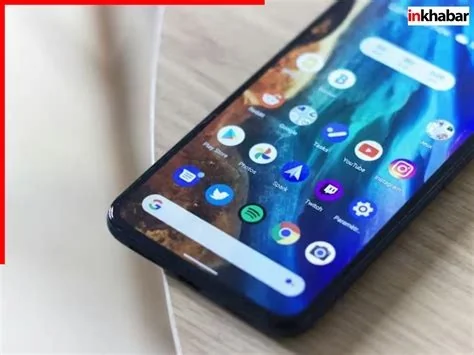
Android 17 introduces a frosted‑glass visual style that extends translucent blur throughout the system UI, from the status bar to quick‑settings and recent‑apps. The update also brings a revamped screen recorder with higher resolution and editing shortcuts, plus a subtle app‑lock hint that enhances security without interrupting workflow. These changes aim to make Android feel deeper and more immersive.
Frosted‑Glass Visual Design
The new UI adopts a semi‑transparent glass effect that lets background content subtly show through softened layers. This treatment adds depth to the status bar, notification shade, and system menus, creating a cohesive look that feels both modern and tactile.
Blur Implementation Across UI Elements
Blur is no longer confined to the top‑level status bar. It now appears on volume sliders, quick‑settings tiles, the recent‑apps overview, and other system panels. The effect reacts to light and motion, while Dynamic Color continues to drive accent hues that are rendered through the translucent surface.
Expanded Blur Across System UI
Building on the Material 3 foundation, Android 17 layers translucency over existing color contrasts and rounded shapes. The result is a richer visual hierarchy where foreground elements stand out against a softly blurred backdrop, improving focus without sacrificing aesthetic appeal.
New Functional System Tools
Alongside the visual overhaul, Android 17 adds practical enhancements:
- Advanced Screen Recorder – captures higher‑resolution video, offers frame‑rate controls, and includes built‑in editing shortcuts for quick trimming and sharing.
- App‑Lock Hint – a faint blurred overlay appears when a protected app launches, reminding users of security settings without disrupting their workflow.
Impact on Developers
Developers will need to adapt to the blurred backgrounds to maintain readability and contrast. Key considerations include:
- Testing text legibility over semi‑transparent surfaces, especially on devices with lower brightness.
- Utilizing updated Material 3 components that support elevation and surface overlays.
- Following forthcoming design guidelines that address best practices for UI elements placed atop blurred layers.
Benefits for Users
The changes deliver several user‑focused advantages:
- More immersive multitasking – background apps remain visible yet unobtrusive, creating a smoother navigation experience.
- Integrated screen recording – reduces reliance on third‑party apps by offering high‑quality capture directly within the system.
- Seamless security cues – the app‑lock hint reinforces privacy without adding friction to app usage.
What to Expect Next
While Google has not officially confirmed these details, the consistency of recent screenshots suggests the frosted‑glass vision is likely to reach the final release. As the developer preview approaches, expect more concrete information on performance impact, additional UI elements that may adopt translucency, and updated guidelines to help both developers and users make the most of Android 17’s depth‑rich experience.