
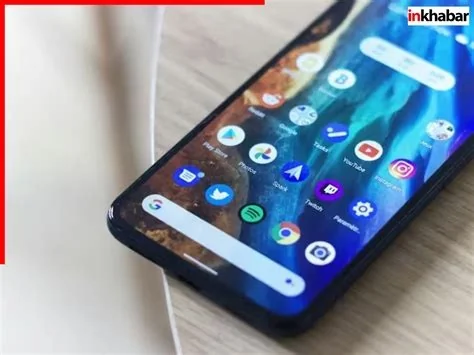
Android 17 introduces a system‑wide frosted‑glass blur that transforms notifications, quick‑settings, recent‑apps, and volume controls. Paired with Material 3’s Dynamic Color, the new translucent UI adapts to the user’s wallpaper, delivering deeper visual depth while maintaining readability and a premium feel across Pixel devices.
Blur‑Heavy Evolution in Android 17
The upcoming release brings significantly more blur across the operating system, moving away from the flat light‑and‑dark panels that have defined Android for years. This visual shift creates a richer, more immersive experience that feels both modern and cohesive.
Expanded Blur Across System Elements
Blur effects appear not only in the notification shade but also in quick‑settings panels, the recent‑apps overview, and on‑screen volume sliders. Each element sits on a translucent surface, allowing the underlying wallpaper to show through and enhancing the sense of depth.
Dynamic Color Enhances the Frosted‑Glass Look
Dynamic Color extracts hues from the user’s wallpaper and applies them to UI components, ensuring that the blur‑driven interface remains visually harmonious. By combining blur with Dynamic Color, Android 17 delivers a UI that feels uniquely tailored to each device’s personal theme.
Why the Frosted‑Glass Change Matters
The move toward a glass‑morphism aesthetic aligns Android with broader design trends, offering a more premium visual language for flagship devices. From a usability perspective, the subtle blur separates foreground controls from busy wallpapers, improving readability while preserving visual continuity.
Potential Trade‑offs of Real‑Time Blur
Real‑time blur processing requires additional GPU resources, which could affect performance on lower‑end hardware. Battery consumption may also increase due to the extra rendering workload. However, Google’s focus on efficient rendering pipelines suggests that hardware‑accelerated pathways will be employed to mitigate noticeable impact.
Confirmed Features and Open Questions
- Confirmed: System‑wide blur applied to notifications, quick‑settings, recent‑apps, and volume controls, working in tandem with Dynamic Color for a wallpaper‑aware UI.
- Confirmed: The design embraces a glass‑morphism trend, delivering a modern, premium look for Pixel and other flagship devices.
- Open: Detailed performance metrics, battery impact, and rollout timeline for devices beyond the Pixel line have not been disclosed.
Looking Ahead: Future of Android UI
If the blur implementation proves smooth and power‑efficient, it could become a staple of future Android releases, extending beyond Android 17 into subsequent versions. The integration of Dynamic Color and translucency may also inspire third‑party developers to adopt similar visual cues, fostering a more unified look across the Android ecosystem.


