
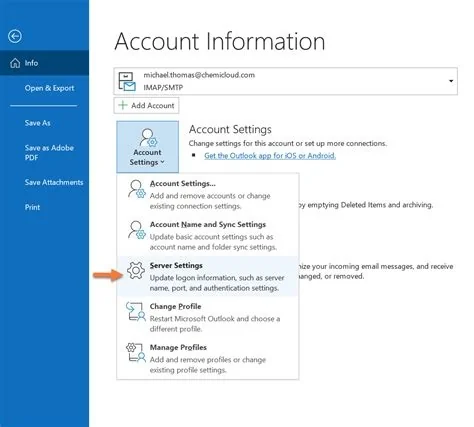
Outlook 365 is undergoing three major shifts: mandatory multi‑factor authentication for all business accounts, a sync glitch that’s blocking Yahoo Mail in the newer client, and a planned migration to the “new Outlook” that will retire the classic desktop version by 2027. Together these changes tighten security, expose compatibility gaps, and demand careful rollout planning.
MFA Becomes Mandatory for Outlook 365 Business Accounts
Starting March 9, Outlook 365 will require multi‑factor authentication (MFA) for every business‑class user. The change forces organizations to add a second verification step—text code, authenticator app, or hardware token—before users can access their inboxes. If you haven’t already enforced MFA, expect a wave of lock‑outs and a spike in help‑desk tickets as users adjust.
Yahoo Mail Sync Issues in the New Outlook Client
Some Windows 11 users report that Yahoo Mail accounts stop syncing when they switch to the newer Outlook client. The problem does not appear in the classic version, which continues to handle Yahoo connections without error. Because the issue is isolated to the new client, IT teams must decide whether to revert affected users to the classic interface or wait for an official fix.
Why the Problem Appears Only in the New Client
The newer client uses updated authentication pathways that differ from the legacy codebase. Those pathways haven’t been fully vetted for third‑party services like Yahoo, leading to intermittent failures. Until Microsoft releases a patch, the safest temporary workaround is to keep Yahoo accounts on the classic Outlook interface.
Understanding the Difference Between Microsoft 365 and Outlook
Microsoft 365 is a subscription suite that bundles Office apps, cloud storage, and collaboration tools. Outlook, on the other hand, is the mail and calendar client that lives inside that suite. The overlap in naming can confuse buyers who wonder whether they need the full suite or just the email client. Knowing the distinction helps you choose the right licensing model for your organization.
Copilot‑Powered E7 Tier Raises the AI Bar
Microsoft has introduced a premium E7 tier that bundles Copilot, an AI assistant, with enhanced identity, management, and security features. Copilot can draft emails, summarize threads, and suggest meeting times directly within Outlook. For businesses weighing the higher cost, the AI boost may offset the operational overhead of MFA rollout and the upcoming client migration.
New Outlook Rollout Timeline and What It Means for Users
The “new Outlook” will replace the classic desktop client in Microsoft 365 Apps for enterprise by March 2027. Before that date, Microsoft plans to re‑introduce missing classic features—most notably offline calendar editing—based on user feedback. The new client is already available on macOS, iOS, iPadOS, and Android, so Windows users will soon share a unified experience across platforms.
Practical Implications for IT Teams and End Users
Security, compatibility, and change management now intersect in Outlook 365. MFA enforcement will reduce breach risk but may increase short‑term support tickets. The Yahoo Mail glitch highlights that not all third‑party integrations are ready for the new client. Meanwhile, the upcoming UI overhaul promises a cleaner experience—if you can navigate the transition period.
Key Steps to Prepare for MFA and the New Client
- Audit user accounts for MFA compliance before the March 9 deadline.
- Enroll users in authenticator apps and provide quick‑start guides.
- Identify critical third‑party mail services (like Yahoo) and test them in the new client.
- Plan a pilot rollout of the new Outlook on a small group of machines to surface issues early.
- Communicate timelines clearly to end users so they know when the classic client will be retired.
Bottom Line
Outlook 365 is at a crossroads. Mandatory MFA tightens security, an unresolved Yahoo Mail bug exposes compatibility gaps, and the “new Outlook” will reshape the user experience by 2027. By proactively addressing MFA enrollment, monitoring third‑party integrations, and piloting the new client, you can steer your organization through the transition with fewer surprises. Are you ready to take the next step?


