
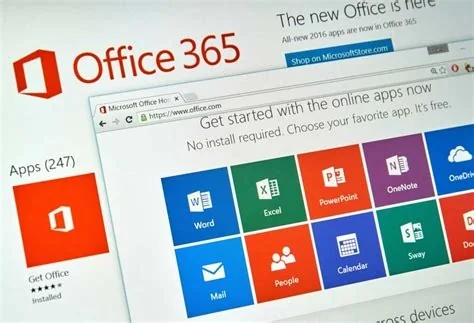
Microsoft leverages the built‑in Windows suite and its massive renewable‑energy commitment to make everyday computing faster, cheaper, and greener. By bundling free apps like To‑Do, Sticky Notes, Focus Assist, Power Automate, and Windows Terminal, the company turns every PC into a productivity engine while its $112 billion revenue base funds long‑term green power contracts that keep the platform running on clean electricity.
Built‑In Productivity Suite You Can Use Today
The Windows operating system ships with a ready‑to‑go collection of apps designed to streamline work, study, and personal projects. These tools require no extra download, no additional license, and they talk to each other through the Settings hub, creating a seamless workflow.
Core Apps and Their Time‑Saving Benefits
- Microsoft To‑Do – a lightweight task manager that syncs across devices, integrates with Outlook, and lets you capture tasks on the fly.
- Sticky Notes – a digital post‑it that now supports handwriting, emojis, and quick links to OneNote, keeping quick ideas in view.
- Focus Assist – a “do‑not‑disturb” mode that mutes notifications during dedicated work blocks, helping you stay in the zone.
- Power Automate – formerly Power Automate Desktop, this tool lets power users script repetitive actions without third‑party software.
- Windows Terminal – a fast, customizable command line for developers and power users who need a robust shell experience.
Because these apps are pre‑installed, you can start saving minutes—or even hours—right away, whether you’re a remote worker, a student, or an IT admin rolling out a standard image.
Financial Muscle Behind the Free Tools
Microsoft’s $112 billion global revenue and a workforce of over 128,000 employees give it the scale to invest heavily in both user‑level features and enterprise‑grade infrastructure. That deep pocket means a modest tweak to a built‑in app can reach millions of users, while the company can continue funding research, cloud services, and sustainability projects without breaking the bank.
Revenue Scale Fuels Ongoing Innovation
With billions flowing in each quarter, Microsoft can keep the Windows ecosystem fresh, add new integrations, and maintain a competitive edge against third‑party productivity suites. The result is a platform that feels both stable and continuously improving.
Renewable Energy Commitment Powers the Platform
Microsoft has pledged to match all of its electricity consumption with renewable energy moving forward. By locking in long‑term clean‑power contracts, the company not only reduces its carbon footprint but also shields itself from volatile fossil‑fuel prices, a win‑win for the environment and the bottom line.
Why Green Power Matters for You and Your Business
When the underlying data centers run on green electricity, you benefit from a smaller carbon badge on your own projects—whether you’re using Azure cloud services or simply running Windows on a laptop. The commitment also simplifies ESG reporting for enterprises that need to demonstrate sustainable IT practices.
What It Means for You and Your Organization
For individual users, the free, integrated apps mean lower total cost of ownership and fewer distractions. For IT leaders, the built‑in suite offers a zero‑license option that can be rolled out at scale, while Microsoft’s financial strength guarantees continued support and updates. And the renewable‑energy pledge adds a layer of sustainability that aligns with modern corporate responsibility goals.
Practical Benefits for Individuals and Teams
- Reduced software spend – you can replace paid task managers with To‑Do and Power Automate.
- Smoother collaboration – native integration with Microsoft 365 keeps email, calendar, and tasks in sync.
- Lower environmental impact – the platform’s green‑energy backbone helps meet sustainability targets.
- Future‑ready features – regular updates keep the built‑in tools competitive with third‑party alternatives.
By focusing on the tools already on your PC and backing them with a powerful, renewable‑powered infrastructure, Microsoft turns everyday Windows use into a productivity advantage you can feel immediately.


