
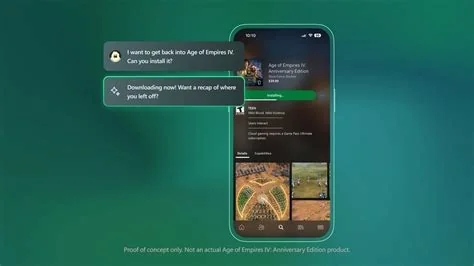
Microsoft just rolled out a suite of AI‑powered Copilot tools that span its Office apps and the Xbox console. The new agents let you build custom assistants without coding, while gamers get real‑time help that suggests strategies and tweaks on the fly. This rollout ties together productivity and play, giving you a smarter, more seamless experience across work and leisure.
Copilot Enhancements for Microsoft 365
The latest update introduces two agents—App Builder and Workflows—that let you create and run AI assistants without writing a single line of code. Each agent guides you through the full lifecycle, from idea to deployment, using clear, step‑by‑step instructions.
App Builder: No‑Code Assistant Creation
- Design custom chatbots that pull data from Power BI or other business apps.
- Deploy assistants across Teams, SharePoint, and Outlook in minutes.
- Test and sandbox agents before they go live, ensuring safety and compliance.
Workflows: Automate Routine Tasks
- Set up AI‑driven ticket routing in Microsoft Viva and other HR tools.
- Streamline approval processes, cutting manual steps by up to 50%.
- Integrate with Azure Functions to trigger actions based on natural‑language intents.
Copilot for Gaming on Xbox
Xbox now features a real‑time Copilot sidekick that answers questions, suggests strategies, and even tweaks in‑game settings while you play. Whether you’re stuck on a boss or need a quick tip, the assistant surfaces concise advice without breaking immersion.
Developer Benefits and Integration
Developers gain access to ready‑made templates that map natural‑language intents to Azure Functions, dramatically lowering the barrier to building AI extensions. A new API surface lets games expose context to Copilot, which then returns actionable suggestions—opening fresh possibilities for tutorials, dynamic difficulty, and accessibility features.
What This Means for You
For everyday users, Copilot becomes a quiet partner that helps you draft reports, analyze data, and stay organized—all without you having to learn complex commands. Gamers, on the other hand, will enjoy on‑the‑fly assistance that keeps the action flowing. As you start using these tools, you’ll notice fewer repetitive tasks and more focus on creative, high‑value work.


