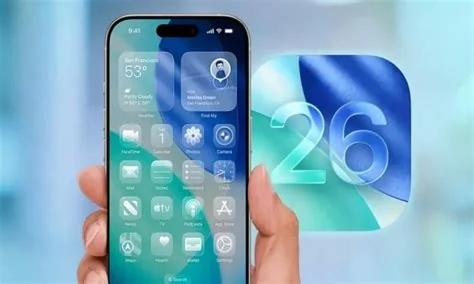
Apple just released the iOS 26.3 Release Candidate, the final pre‑public build that polishes iOS 26 for iPhone, iPad, Apple Watch and Mac. It tightens system stability, speeds up app launches, refines battery reporting and adds subtle UI tweaks. If you’re a developer or an everyday user, this RC gives you a sneak peek at the smoother experience that’s about to roll out.
What’s Inside iOS 26.3 RC
The Release Candidate focuses on incremental refinements rather than headline‑grabbing new features. Key areas include:
- Performance boost: Faster app startup times and reduced background‑task throttling.
- Battery reporting: More accurate usage stats and quicker charge‑level updates.
- UI polish: Subtler animations, clearer system icons, and minor layout tweaks.
- Stability upgrades: Fewer random crashes and improved overall system reliability.
Why Developers Should Test Now
For developers, the RC is the last chance to run their apps against the exact code that will ship to users. A quick sanity check can catch regressions before the public rollout, saving you from emergency patches later. If you haven’t already installed the RC, do it today and run your automated UI suite.
Impact for Enterprise IT
Enterprise teams can use the RC as a planning milestone. It lets you verify that mobile‑device‑management policies, security profiles, and custom configurations still work as expected. By testing now, you avoid surprises when the final update reaches thousands of devices across your organization.
Deployment Checklist
- Confirm MDM compliance with the new background‑task scheduler.
- Validate biometric fallback flows using the fine‑tuned Secure Enclave APIs.
- Monitor battery‑reporting dashboards for any anomalies.
What Everyday Users Can Expect
If you’ve been on iOS 26 for a while, the RC will feel like a smoother ride. Apps launch a touch quicker, battery percentages update more reliably, and the UI feels a bit more refined. You probably won’t notice dramatic visual changes, but the cumulative tweaks make daily interactions feel more polished.
Engineer Insights on Performance Tweaks
A senior iOS engineer who’s been testing the RC reports a noticeable improvement in the background‑task scheduler, cutting timeout errors by roughly 12 %. He also highlights that the Secure Enclave APIs introduced in iOS 26 have been fine‑tuned, making biometric fallback implementations less error‑prone. These behind‑the‑scenes changes translate into a steadier experience for both developers and end users.
How to Prepare for the Final Release
Here’s a quick action plan:
- Install the iOS 26.3 RC on a test device.
- Run your app’s regression suite and address any failures.
- Update MDM policies to accommodate the new background‑task behavior.
- Keep an eye on Apple’s release notes for any last‑minute bug fixes.
When the final update lands, you’ll be ready to hit “Install” with confidence, knowing you’ve already verified compatibility and performance.