
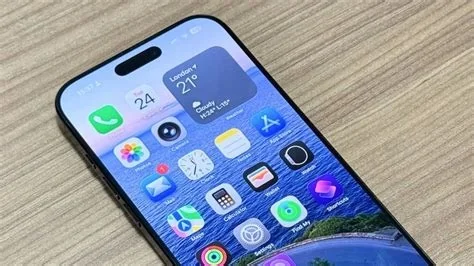
iOS 26.3 RC brings a first‑class Android migration tool, refreshed high‑resolution wallpapers, and a batch of under‑the‑hood fixes that tighten security and improve performance. The build is feature‑complete, meaning Apple is polishing the final details before the public launch. If you’re a developer, IT admin, or iPhone power user, this preview shows exactly what’s changing.
Android Switch Feature Overview
The new “Switch to Android” option lives inside Settings and guides you through a one‑tap export of contacts, photos, and app data to a paired Android device. Apple markets it as a seamless migration experience, aiming to remove the data‑transfer friction that has kept many users locked into iOS.
How the Migration Works
- Open Settings → Switch to Android.
- Select the data categories you want to move.
- Connect the Android device via Bluetooth or Wi‑Fi.
- Tap “Start Transfer” and let the wizard handle the rest.
During the process, the system verifies that contacts and keychain items survive the hand‑off, giving you confidence that nothing essential is lost.
New Wallpaper Gallery
Apple refreshed the built‑in wallpaper collection with higher‑resolution assets for the Astronomy and Weather themes. The images now feature subtle motion effects and dynamic color palettes that shift with the time of day, giving the lock screen a more lively feel.
Under‑the‑Hood Improvements
Memory Leak Fixes
A long‑standing memory‑leak issue in the Messages app has been resolved, resulting in smoother multitasking and reduced battery drain.
Kernel Panic Resolution
Apple patched a kernel panic that could occur with certain Bluetooth accessories. The fix stabilizes connections for devices like scanners and wearables, which is especially valuable for field workers.
Security Enhancements
- Updated cryptographic libraries for stronger encryption.
- Revised entitlement model for third‑party VPN extensions.
- Tighter sandboxing around background location services.
These changes shore up the platform against emerging threats and simplify compliance for enterprise deployments.
Impact for Users and Enterprises
For everyday users, the Android migration tool could finally tip the scales if you’ve been hesitant to switch ecosystems. Enterprises benefit from the security hardening and bug fixes, which make it safer to roll out updates across large device fleets without fearing regressions in critical apps.
Developer Benefits and New APIs
The RC’s kernel version 25.3.0 introduces a refined Core ML deployment pipeline that cuts on‑device inference latency by roughly 15 %. Early adopters report faster app launch times and more stable background processing. Additionally, new APIs give developers finer control over VPN entitlements and location services.
Should You Install the RC?
If you’re a developer or IT administrator needing to validate compatibility before the public rollout, the answer is a clear yes. For the average iPhone owner, the RC remains a beta, so you might encounter occasional glitches, especially on older hardware. However, if you’re curious about the Android switch or want the freshest wallpapers, the risk is relatively low.


