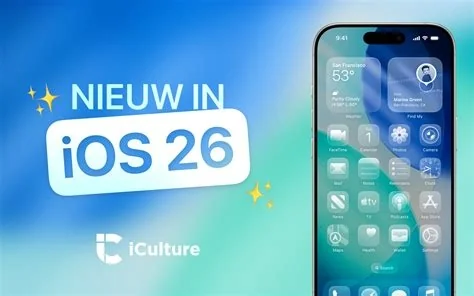
iOS 26.3 rolls out to iPhone and iPad users with critical battery‑life fixes, crash‑stability patches, and handy UI tweaks like persistent Control Center toggles and a new Quick Actions menu in Files. The update installs via Settings → General → Software Update and prepares your device for the upcoming Siri 2.0 overhaul. It also smooths out random app crashes and improves overall responsiveness, giving you a more reliable daily experience.
How to Install iOS 26.3
Open Settings, tap General, then select Software Update. If the update appears, tap Download and Install. The process runs over the air, so you can start it while your device is charging and connected to Wi‑Fi. You can also schedule the installation for a convenient time.
Key Stability Improvements
The update focuses on fixing the most‑complained‑about issues from the previous release:
- Battery drain reduction – devices stay powered longer under typical usage.
- App‑crash mitigation – fewer unexpected closures improve workflow continuity.
- System responsiveness – smoother navigation and quicker app launches.
User Interface Enhancements
While not a full redesign, iOS 26.3 adds several quality‑of‑life tweaks that power users will appreciate:
- Persistent Control Center toggles – custom switches now remember their state after a reboot.
- Quick Actions in Files – zip or share multiple items with a single tap, streamlining file management.
- Minor visual refinements – subtle adjustments to icons and spacing make the UI feel more polished.
What’s Next for Siri
iOS 26.3 serves as a final polishing round before Apple introduces iOS 26.4, which promises a revamped Siri experience. By clearing lingering bugs now, the upcoming Siri 2.0 update can focus on new capabilities rather than fixing old problems.
Enterprise and Security Benefits
For IT admins and developers, the stability fixes are the headline act. The patch also includes under‑the‑radar mitigations for known vulnerabilities, allowing you to roll out the update with confidence. Remote‑work scenarios benefit from the new Quick Actions, reducing the steps needed to prepare assets for distribution.
Bottom Line
iOS 26.3 isn’t a feature‑heavy release, but it delivers the solid, behind‑the‑scenes work that keeps Apple’s ecosystem humming. If your device is still on 26.2.1, hit “Download and Install” tonight – your battery, your apps, and your future Siri‑centric workflow will thank you.