
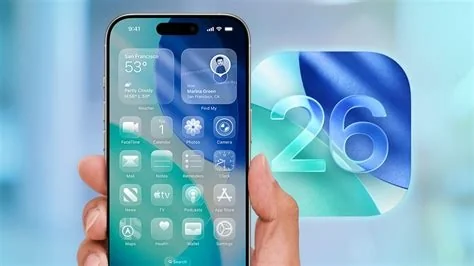
iOS 26.3 brings a privacy‑first “Switch to Android” wizard, full Bluetooth accessory compatibility, a granular Data Sharing Dashboard, and critical security patches. The update lets you move contacts, photos, messages and app data directly to a compatible Android phone, use any earbuds or smartwatch with native integration, and see exactly which apps are accessing your data—all without leaving Apple’s ecosystem.
Switch to Android Wizard Simplifies Data Migration
The new wizard lets you initiate a direct transfer from your iPhone to a supported Android device. It moves contacts, photos, messages, and even app data over an encrypted channel that never touches the cloud.
How the Transfer Works
- Open Settings → “Switch to Android” on your iPhone.
- Select a nearby Android device running the companion app.
- Confirm the data categories you want to move.
- Watch the progress bar as the encrypted transfer completes.
Because the process stays on‑device, you keep full control of your information, which is a relief if you’re wary of third‑party tools.
Third‑Party Earbuds and Smartwatch Support
iOS 26.3 finally lifts the restriction on non‑Apple Bluetooth accessories. You can now pair any earbuds or smartwatch and enjoy system‑wide features such as media controls, battery readouts, and Siri shortcuts without extra configuration.
Benefits for Wearable Users
- Third‑party smartwatches can read health data and display notifications.
- Wearables can act as an unlock method for your iPhone when you grant permission.
- Full integration works out of the box, so you don’t need to install separate companion apps.
If you’ve been stuck with AirPods because other earbuds lacked functionality, this change lets you switch without sacrificing convenience.
Data Sharing Dashboard Improves EU Privacy Compliance
Apple adds a granular dashboard under Settings → Privacy that lists every app that accessed location, microphone, camera, or health data in the past 30 days. With a single tap you can revoke permissions, giving you clearer insight into who’s watching what.
Security Fixes and Under‑the‑Hood Improvements
iOS 26.3 patches a “use‑after‑free” kernel vulnerability, an elevation‑of‑privilege bug in the Files app, and several memory‑corruption issues that could have been weaponized. macOS Tahoe 26.3 mirrors many of these fixes and adds better external‑GPU support and a refined privacy report.
Impact on Users and Enterprises
For everyday users, the Android wizard may finally tip the scales if you’ve been eyeing a switch. The new accessory freedom means you can ditch AirPods for cheaper earbuds without losing native features. Privacy‑focused users gain a single view of data access, simplifying the hunt for hidden trackers.
Enterprises also benefit: MDM administrators can now support a broader range of accessories in BYOD programs, and security teams can verify that critical patches are applied across managed devices. Just remember to test the Android transfer tool with the specific models you support.


