
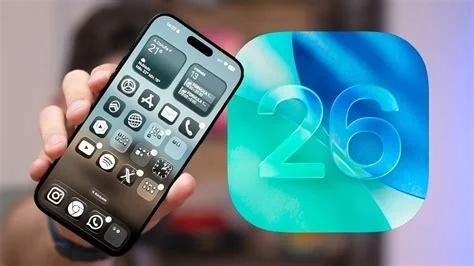
iOS 26.3 brings a built‑in Android migration tool, fresh lock‑screen customization, and a series of security patches that tighten background location tracking and fix a kernel‑level bug. The update rolls out to iPhone 11 and newer, delivering a noticeable app‑launch speed bump and modest battery gains for recent models.
One‑Click Android Migration
The new “Switch to Android” wizard lives inside Settings and lets you move contacts, photos, videos, messages, and even app data to a compatible Android phone over Wi‑Fi. You start the process with a single tap, pair the devices, and watch the transfer happen securely without third‑party apps.
Enhanced Personalization Options
iOS 26.3 expands how you can style your iPhone. New lock‑screen widget sizes, refreshed system icons, and custom accent colors for Control Center and the notification shade let you tailor the look without jailbreaking. The “Dynamic Wallpaper Scheduler” also rotates wallpapers based on time of day or location, adding a subtle but useful touch.
Security and Performance Improvements
Apple patches several vulnerabilities, including a kernel‑level privilege escalation bug that could have let malicious apps gain deep system access. Background location services are now sandboxed tighter, reducing how often apps can poll GPS data. Performance‑wise, Apple reports a 5‑7 % faster app launch on iPhone 11‑13 and a modest battery life lift for iPhone 14 Pro models.
Device Compatibility
The rollout targets iPhone 11 and newer. Older devices continue receiving essential security updates, but they won’t get the Android migration tool or the new personalization features. If you’re on an iPhone SE 2020 or earlier, you’ll still stay protected, just without the latest bells and whistles.
Why the Update Matters
Apple’s timing is strategic: the smoother Android switch may ease the decision for users thinking about changing ecosystems, while the personalization tweaks keep the experience feeling fresh. For IT admins, the native migration wizard simplifies data handoff in mixed‑platform environments, and the tightened privacy controls help meet compliance requirements.
Ready to try it? Open Settings → General → Software Update, tap “Download and Install,” and explore the new Android transfer wizard and lock‑screen widgets. You’ll notice a more flexible iPhone experience right away.


