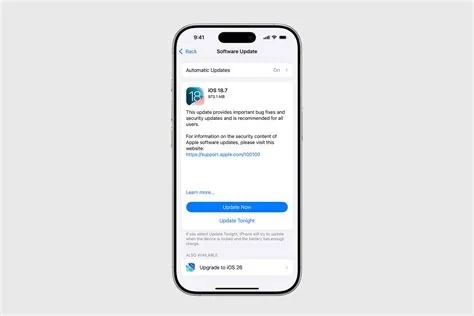
iOS 26.2.1 brings native support for the second‑generation AirTag, adds a bundle of critical security patches, and includes a targeted fix for older iPhone models that could lose core services without it. The update rolls out for iPhone and iPad devices, preserves user data, and can be installed over‑the‑air via Settings → General → Software Update.
AirTag 2 Native Integration
The headline feature of iOS 26.2.1 is built‑in compatibility with the second‑generation AirTag. Users no longer need a separate app to access the new tracking capabilities; the Find‑My network automatically recognizes AirTag 2 devices, improving item location accuracy and battery‑life reporting.
How AirTag 2 Works on iOS 26.2.1
- Seamless pairing: AirTag 2 connects instantly when placed near an iPhone running iOS 26.2.1.
- Enhanced precision: Updated Bluetooth algorithms provide faster location updates.
- Battery monitoring: The system now displays real‑time battery status within the Find‑My app.
Critical Security Fixes
iOS 26.2.1 bundles a series of background security patches that address vulnerabilities discovered in recent investigations. Apple releases these fixes only after thorough validation, minimizing exposure windows for users.
Key Vulnerabilities Resolved
- Kernel exploits: Patches close pathways that could allow unauthorized code execution.
- Network stack flaws: Fixes prevent potential data interception over Wi‑Fi and cellular connections.
- Privilege escalation bugs: Updates block attempts to gain elevated system rights.
Legacy iPhone Patch
A targeted component of the rollout addresses two older iPhone models whose core services—such as Apple Pay, iMessage, and emergency calling—could become inoperable without the update. Installing iOS 26.2.1 on these devices is essential to maintain full functionality.
Why the Update Matters for Older Devices
- Service continuity: Prevents loss of payment and messaging features.
- Emergency reliability: Ensures the device can connect to emergency services.
- Watch compatibility: Keeps paired Apple Watch functions working correctly.
Update Process and Recommendations
Apple advises users to back up their devices before proceeding. The update can be applied wirelessly, and automatic system file updates can be enabled to keep the device secure without a full OS version bump.
Backup and Installation Steps
- Back up via iCloud or a computer.
- Open Settings → General → Software Update.
- Select Download and Install and follow the on‑screen prompts.
- After installation, verify that AirTag 2 appears in the Find‑My app and that all services function normally.
Impact on the Apple Ecosystem
The combination of AirTag 2 support, undisclosed performance enhancements, and critical security patches makes iOS 26.2.1 more than a routine refresh. It strengthens the Find‑My network, reinforces Apple’s reputation for rapid vulnerability remediation, and safeguards essential services for both current and legacy devices.