
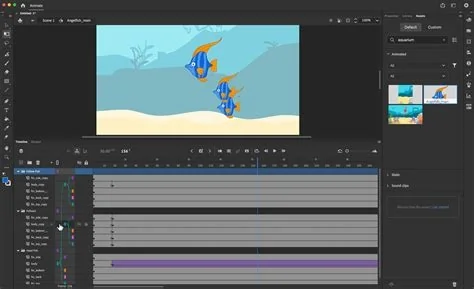
Adobe Animate will be discontinued on March 1 2026, with a final download window ending March 1 2027. Users must back up projects, transition to Adobe After Effects or Adobe Express, and adapt workflows as Adobe shifts its focus to AI‑driven creative tools. This summary outlines the timeline, migration options, and industry implications.
Sunset Timeline and Official Details
Adobe confirmed that the Animate product line will no longer be available for purchase after March 1 2026. Enterprise customers retain technical support until that date, while all other users receive a one‑year grace period to download assets stored in the cloud or on local machines. After March 1 2027, the service will be fully retired.
Why Adobe Is Retiring Animate
Adobe is consolidating its animation capabilities to streamline the portfolio and invest heavily in artificial‑intelligence features across its flagship apps. By retiring a legacy 2D tool, Adobe can reallocate engineering resources to AI‑enhanced workflows that promise faster content creation.
AI‑First Strategy
The company’s generative‑AI engine, Adobe Firefly, now powers new capabilities in Photoshop, Illustrator, and Premiere Pro. Recent upgrades to After Effects (including a Puppet tool for complex keyframe animation) and Adobe Express (one‑click animation effects) illustrate how Adobe is embedding AI throughout its creative suite.
Migration Paths for Creators
Former Animate users have three primary options:
- After Effects – Offers advanced keyframe animation, bone‑based deformation, and mesh warping via the Puppet tool. The interface differs from Animate’s timeline‑centric workflow, which may require a learning curve.
- Adobe Express – Provides template‑driven, single‑click animations ideal for social‑media content but lacks depth for complex character rigs or interactive projects.
- Third‑party solutions – Competitors such as Toon Boom Harmony, Moho (Anime Studio), and open‑source Synfig can fill feature gaps without a steep transition cost.
Impact on Workflows and Data Continuity
Enterprises built on Animate’s export formats (SWF, HTML5 Canvas, WebGL) will need to redesign pipelines. While Adobe’s one‑year download window mitigates immediate data loss, there is no automated migration tool, so users must manually convert assets—a potentially labor‑intensive process.
Industry and Educational Implications
The sunset reflects a broader trend toward AI‑augmented creative tooling. Analysts expect faster adoption of text‑to‑image and text‑to‑animation models as designers rely on generative workflows. Educational programs are already pivoting, integrating After Effects and AI‑driven animation modules to keep curricula aligned with industry direction.
Next Steps for Current Animate Users
Creators with active Animate licenses should:
- Back up all project files before the March 2027 deadline.
- Evaluate After Effects and Adobe Express for feature parity.
- Test third‑party alternatives if specific workflow requirements are unmet.
- Plan migration strategies early to avoid disruption.
As Adobe reshapes its suite around AI, the animation community will watch closely to see whether the new tools can match the flexibility and control that Animate delivered for over two decades.


