
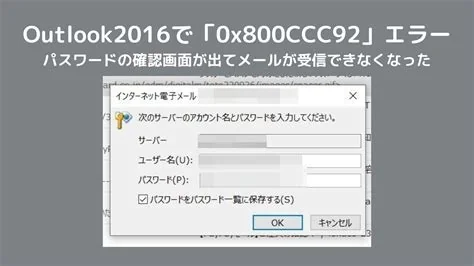
Outlook crashes or freezes on Windows 11 after installing the KB5074109 security update, especially for classic Outlook clients using POP accounts with local PST files. The update changes a low‑level file‑access component, causing deadlocks when Outlook opens PST containers. Microsoft has provided a temporary workaround—uninstalling the update or switching to IMAP/Exchange—and is testing a permanent fix.
What the Outage Looks Like
Since the KB5074109 rollout, users report Outlook getting stuck on the splash screen, failing to start, or being unable to send and receive mail. The problem appears on both Windows 11 25H2 and 24H2 builds, affecting desktops, laptops, and virtual machines.
Technical Root Cause
The KB5074109 update modifies a system component that handles file I/O security checks. This change conflicts with Outlook’s method of locking PST files for POP accounts. When Outlook attempts to open a PST during startup, the altered security check blocks access, creating a deadlock that results in a freeze or crash. The issue is limited to the classic Outlook client that ships with Microsoft 365 and Office 2021; the newer Chromium‑based Outlook for Windows is not affected.
Microsoft’s Response and Temporary Workaround
Microsoft has acknowledged the problem and published a support article outlining a short‑term mitigation plan. The recommended steps are:
- Uninstall KB5074109 – Roll back the update via Settings → Update & Security → View update history → Uninstall updates.
- Switch to IMAP or Exchange – Migrating POP accounts eliminates reliance on local PST files.
- Disable PST indexing – Turn off Windows Search indexing for PST locations to reduce deadlock risk.
Microsoft’s engineering team is testing a revised security patch that restores the original file‑access behavior while keeping the intended security improvements. A release date has not been announced.
Impact on Businesses
Organizations that rely on classic Outlook with POP accounts face immediate operational disruption. Users cannot access critical messages, attach files, or respond to time‑sensitive requests, affecting customer support, sales pipelines, and internal coordination. IT departments must allocate resources to roll back the update or implement the workarounds, increasing support ticket volume and diverting attention from other projects.
Recommendations for IT Teams
- Assess the mail architecture and prioritize migration from POP to IMAP or Exchange where feasible.
- Apply the temporary workaround promptly to restore email functionality.
- Monitor Microsoft’s update channel for the forthcoming corrective patch and plan a controlled rollout once it is released.
Outlook for the Future
The KB5074109 incident highlights the tension between security hardening and legacy application compatibility. While Microsoft’s rapid acknowledgment is positive, the event underscores the need for more extensive regression testing of security updates against older software configurations. Classic Outlook remains essential for environments requiring offline access and local archiving, so a permanent fix is expected to be a priority.
Bottom Line
The Windows 11 KB5074109 security update triggers a critical failure in classic Outlook when used with POP accounts and PST files. Apply the temporary workaround—uninstall the update or migrate to IMAP/Exchange—while awaiting Microsoft’s permanent fix.


