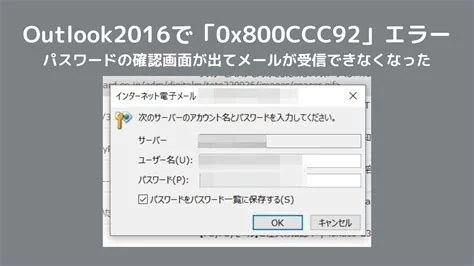
Outlook Classic stops launching or freezes after installing the Windows 11 KB5074109 security update. The issue affects POP‑based accounts and local PST files, causing the client to hang on the splash screen, become unresponsive, or display error dialogs. Work‑arounds include uninstalling the update, using Safe Mode, creating a new profile, disabling add‑ins, or switching to the Outlook 365 web client until Microsoft releases a dedicated fix.
Symptoms of the Outlook Classic Crash
After applying KB5074109, users commonly experience:
- Outlook hangs on the splash screen and never reaches the inbox.
- The application becomes completely unresponsive or crashes with an error code.
- Send/receive buttons are greyed out, preventing email transmission.
- Attempts to open existing PST files trigger “Outlook has stopped working” dialogs.
The web‑based Outlook 365 portal remains functional, indicating the problem is isolated to the classic desktop client.
Technical Cause of the Crash
KB5074109 updates core networking and file‑system components in Windows 11. The patch modifies the Windows Filtering Platform (WFP) driver, which conflicts with Outlook’s legacy MAPI stack when used with POP3 accounts. This conflict creates a deadlock that freezes the Outlook process. The issue does not affect Outlook connections to Exchange or Office 365 via MAPI over HTTP.
Immediate Workarounds
Until Microsoft releases an official remediation, apply one or more of the following steps:
- Uninstall KB5074109 – Go to Settings → Windows Update → Update history → Uninstall updates to revert to the previous build.
- Boot into Safe Mode – Safe Mode disables the problematic driver, allowing Outlook to launch for data export.
- Create a new Outlook profile – Delete the corrupted profile and set up a fresh one, preferably using an IMAP or Exchange account.
- Disable add‑ins – Run Outlook with the
/safeswitch and disable all third‑party add‑ins via File → Options → Add‑ins. - Switch to Outlook 365 (web) – Use the web client as a temporary, reliable alternative.
Advanced users may try the Outlook.exe /resetnavpane command, but registry edits should only be performed by experienced administrators.
Microsoft’s Planned Fix
Microsoft has acknowledged the compatibility issue and is developing a dedicated remediation package. The fix will be delivered as a separate cumulative update that restores POP‑based Outlook profile functionality. In the meantime, Microsoft recommends submitting feedback through the Windows 11 Feedback Hub to prioritize the issue.
Business Impact and Recommendations
The outage highlights the risk of relying on legacy email configurations such as POP accounts and local PST files. Organizations should consider:
- Maintaining a web‑based or Exchange‑based email fallback to ensure continuity.
- Evaluating migration to cloud‑based email solutions to reduce dependency on outdated client components.
- Implementing thorough testing of large‑scale Windows updates in environments that use older Office components.
By following the documented work‑arounds and monitoring Microsoft’s official channels for the upcoming patch, IT teams can minimize disruption and restore Outlook functionality quickly.