
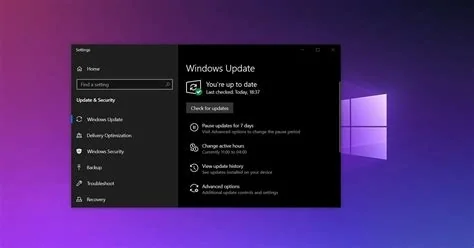
In January 2026 Microsoft’s routine Patch Tuesday for Windows 11 introduced a critical update that blocked normal system shutdown and caused Outlook to freeze or crash, especially for POP3 accounts. The company issued two emergency patches within days, provided workarounds, and outlined steps for both home users and enterprises to mitigate data loss and productivity impact.
Failed Shutdown After the January 2026 Windows 11 Patch
Shortly after installing the January security update, many users reported that the “Shut down” command no longer worked. The system would remain powered on, requiring a forced restart to regain control. This regression affected both personal PCs and corporate workstations, increasing the risk of data corruption and unnecessary energy consumption.
Symptoms and Immediate Impact
- Shutdown button unresponsive after update installation
- Only forced restart restores normal operation
- Potential file‑system inconsistencies and data loss
Outlook Crashes Linked to POP3 Accounts
Within 24 hours of the same update, Outlook users experienced frequent freezes and crashes. The issue was most pronounced for accounts configured with the POP3 protocol, where the application stopped accepting input and terminated unexpectedly.
Root Cause Details
- Changes to COM interfaces interfered with POP3 session handling
- Outlook’s UI thread became blocked, leading to complete freezes
- Crashes occurred across multiple Windows 11 builds
Microsoft’s Emergency Patch Response
Microsoft released two out‑of‑band emergency patches—one for Windows 10 and one for Windows 11—five days after the problematic update. These patches were distributed through Windows Update and aimed to restore shutdown functionality and stabilize Outlook.
What the Emergency Patches Fix
- Restores normal shutdown sequence by correcting energy‑management routines
- Resolves COM‑related conflicts that caused Outlook POP3 crashes
- Includes targeted fixes for the affected kernel and network stack components
Why the Issues Occurred
The January update addressed several high‑severity CVEs, including kernel and network‑stack vulnerabilities. The extensive code changes, combined with the diverse hardware landscape of Windows users, increased the likelihood of regression bugs. Specifically, modifications to power‑management logic blocked shutdown calls, while adjustments to Outlook’s COM bindings destabilized POP3 connections.
Implications for Users and Enterprises
Both individual users and organizations faced immediate operational challenges. Inability to shut down computers can lead to data loss and higher power costs, while Outlook crashes disrupt email communication and workflow continuity. Repeated critical update failures may erode confidence in Microsoft’s patch process, prompting IT teams to adopt more cautious rollout strategies.
Recommendations and Best Practices
To minimize disruption, follow these steps:
- Install the emergency patches as soon as they become available.
- Temporarily disable POP3 accounts in Outlook or switch to IMAP/Exchange.
- Use a staged rollout: deploy updates to a small pilot group before full deployment.
- Verify backup and recovery procedures to protect against unexpected system failures.
- Test critical systems in a controlled environment prior to applying future updates.
By applying these measures, users can safeguard data integrity, maintain productivity, and reduce the risk of similar update‑related incidents in the future.


