
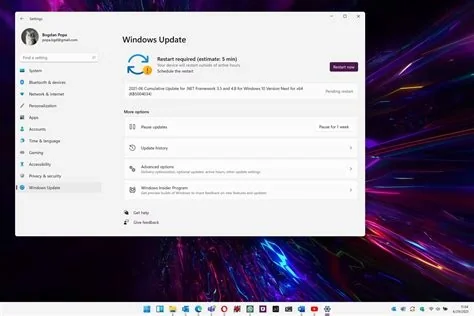
Microsoft has released the out‑of‑band update KB5078127 for Windows 11 to stop Outlook Classic crashes and prevent OneDrive, Dropbox, and other cloud‑storage apps from freezing or exiting. The patch, rolled out automatically via Windows Update, targets the stability regressions introduced by the January update and restores reliable email and file‑sync functionality for both consumer and enterprise devices.
Why Microsoft Released an Emergency Patch
Issues Caused by the January Update
The January Windows 11 update introduced critical bugs that caused:
- Frequent hangs and crashes in Outlook Classic, especially with POP accounts and large PST files.
- Application freezes or crashes in cloud‑storage services such as OneDrive and Dropbox when opening or saving files.
- Significant productivity disruptions for both individual users and enterprise environments.
What KB5078127 Fixes
Outlook Classic Crash Resolution
KB5078127 directly addresses the code paths that caused Outlook Classic to terminate unexpectedly. After installation, users report stable email performance even with large PST archives and POP‑based accounts.
Cloud‑App Stability Improvements
The update also includes broader system‑level fixes that stop OneDrive, Dropbox, and similar cloud‑storage applications from freezing during file operations, restoring reliable sync and save functionality.
How to Install the Patch
Windows 11 Automatic Deployment
For supported Windows 11 builds (25H2, 24H2, 23H2, etc.), the patch appears in the Optional updates section of Windows Update and installs automatically without user intervention.
Manual Steps for Windows 10
Windows 10 devices require a separate out‑of‑band update (KB5078129). Administrators should download the update from the Microsoft Update Catalog and install it manually to resolve the same Outlook and cloud‑app issues.
Impact on Users and IT Teams
The rapid rollout of KB5078127 reduces downtime for end users and simplifies remediation for IT departments. While Windows 11 machines receive the fix automatically, IT staff must verify deployment across all endpoints and schedule the manual Windows 10 update where needed. Monitoring tools should be configured to detect any lingering issues unrelated to this patch.
Future Outlook and Recommendations
Microsoft’s emergency response highlights its commitment to fixing critical regressions outside the regular Patch Tuesday cycle. Organizations should ensure all Windows 11 devices are fully updated with KB5078127 and keep an eye on official Microsoft channels for any additional guidance, especially concerning unrelated boot‑failure reports from recent cumulative updates.


