
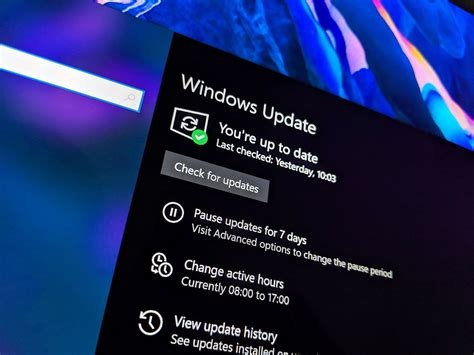
Microsoft released an out‑of‑band (OOB) update on January 17 2026 to correct critical RemoteApp connectivity and shutdown‑loop problems introduced by the January 2026 security roll‑up (KB5074109). The OOB patch restores normal power‑state behavior, fixes RemoteApp failures, and retains all previously applied security mitigations. Install it now via Windows Update or the Microsoft Update Catalog.
What the January 2026 Security Update Included
KB5074109 is the cumulative security roll‑up for Windows 11 version 24H2 and 25H2. It addressed a record 114 CVE entries, including three actively exploited zero‑day vulnerabilities, and added hardening for Azure Virtual Desktop (AVD) and RemoteApp services.
- 114 CVE entries fixed across kernel, graphics, networking, and browser components.
- Three zero‑day exploits observed in the wild, marked as critical.
- Security hardening for AVD and RemoteApp to block remote code execution.
Critical Bugs That Triggered the OOB Release
RemoteApp Connection Failures
Administrators reported that RemoteApp sessions could not start or dropped unexpectedly, rendering cloud‑based Windows applications unusable.
Shutdown and Sleep Reboot Loop
Devices running the 24H2 build entered a continuous reboot cycle when users attempted to shut down or put the machine to sleep, affecting both consumer and enterprise hardware.
Details of the Out‑of‑Band (OOB) Patch
The OOB update, also labeled KB5074109, was distributed through Windows Update, the Windows Update Catalog, and Microsoft Endpoint Manager. Its sole purpose is to resolve the RemoteApp and power‑state regressions while preserving all earlier security fixes.
How to Install the OOB Patch
For Individual Users
- Open Settings → Windows Update and click Check for updates.
- Find the entry 2026‑01 Security Patch (KB5074109) – Out‑of‑Band and select Download and install.
- Restart the device when prompted to complete the installation.
For Enterprise Administrators
- Deploy the OOB update via Microsoft Endpoint Configuration Manager or Intune.
- Target devices that reported RemoteApp or shutdown issues.
Implications for Windows 11 Security Management
The incident highlights the tension between rapid vulnerability remediation and system stability. While the 114‑vulnerability count demonstrates Microsoft’s aggressive patch cadence, the regressions underscore the need for more granular updates and extensive testing across diverse hardware.
- Granular patching – Smaller, component‑specific packages can reduce cross‑module side effects.
- Extended pre‑release testing – Broader Insider testing helps validate large cumulative updates.
- Improved telemetry – Real‑time error reporting can detect regressions earlier.
Immediate Actions for Users
- Install the OOB patch now to restore RemoteApp connectivity and correct power‑state behavior.
- Verify that the original security fixes remain applied by checking update history or using the Microsoft Update Catalog verification tools.
- Maintain regular backups to protect data in case of unexpected reboot loops during future updates.


