
Microsoft has released emergency out‑of‑band update KB5078127 for Windows 11 25H2 and 24H2 to resolve Outlook Classic POP/PST crashes and a file‑system instability that caused widespread application failures after the latest Patch Tuesday. The cumulative update bundles prior patches, restores system stability, and should be installed immediately on all affected devices.
Why the Emergency Patch Was Needed
The regular monthly security update introduced a regression that broke Outlook Classic’s ability to manage POP accounts and PST files, causing the email client to become unresponsive or crash. At the same time, a separate file‑system defect triggered sporadic crashes in various applications, including cloud‑sync tools. Microsoft classified these issues as critical, prompting an out‑of‑band release.
What KB5078127 Fixes
- Outlook Classic stability: Restores proper handling of POP accounts and PST files, eliminating unresponsiveness and crashes.
- File‑system reliability: Removes the regression that caused random application failures across the system.
- Cumulative content: Includes earlier security and non‑security fixes, reducing the need for multiple separate updates.
How to Install the Update
Ensure your Windows 11 device receives KB5078127 by following these steps:
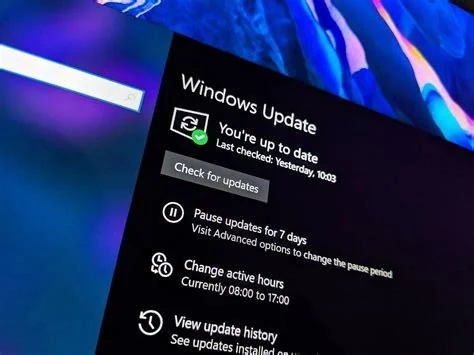
- Open Settings > Windows Update.
- Click Check for updates to let the system detect the latest cumulative update.
- If KB5078127 appears, select Download and install.
- Restart the computer when prompted to complete the installation.
Impact on Users and Enterprises
For individual users, installing KB5078127 restores Outlook functionality and prevents further application crashes. Enterprise environments that rely on legacy mail archives should verify that POP/PST issues are resolved before resuming normal operations. The update also improves overall system reliability, reducing downtime for critical business applications.
Best Practices After Installing
- Confirm the update installed successfully via Settings > Windows Update > Update history.
- Test Outlook Classic by opening a POP account and a PST file to ensure stability.
- Maintain regular backups of legacy mail data to safeguard against future regressions.
- Monitor system performance for any residual issues and report them promptly.
Future Outlook for Windows 11 Updates
Microsoft’s rapid deployment of KB5078127 shows a commitment to addressing critical bugs quickly. The incident highlights the need for balanced testing pipelines that protect legacy components while delivering timely security patches. Users can expect continued focus on stability and security as Windows 11 evolves, with future updates aiming to minimize unintended side effects.


