
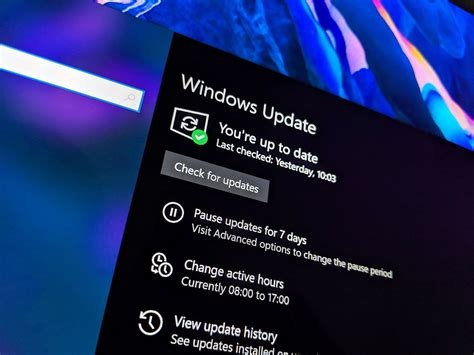
Microsoft’s January 2026 Patch Tuesday delivers the KB5074109 security update, fixing 112 publicly disclosed CVE vulnerabilities across Windows and Office, including an actively exploited zero‑day. The patch also resolves a RemoteApp connectivity issue in Azure Virtual Desktop (AVD), ensuring stable remote‑app sessions for enterprise users. Immediate deployment is recommended to protect against threats and restore AVD functionality.
Key Security Fixes in KB5074109
The KB5074109 update addresses a total of 112 CVE‑listed vulnerabilities across the Windows operating system and core Office applications such as Word and Excel. Most fixes are classified as “Important,” with several exploits already observed in the wild.
Zero‑Day Exploit Mitigation
A critical zero‑day vulnerability affecting all supported Windows builds was actively weaponised before the patch release. Microsoft prioritized this fix, delivering protection on the same day the exploit was disclosed.
Additional Third‑Party Vulnerabilities
Two non‑Microsoft components are also patched, bringing the overall count to 114 issues resolved in this release.
AVD RemoteApp Connectivity Fix
The update resolves a RemoteApp launch failure that caused the Windows App client to hang or abort sessions in Azure Virtual Desktop environments. After applying KB5074109, RemoteApp sessions start reliably. Microsoft recommends using the Windows Remote Desktop client or the Web client as temporary work‑arounds if any residual issues appear.
Enterprise Impact and Deployment Guidance
Enterprises relying on AVD for remote workforces benefit from both the security hardening and the RemoteApp fix. The predictable “Patch Tuesday” cadence allows IT teams to schedule testing and rollout, while the rapid response to the zero‑day demonstrates Microsoft’s commitment to swift remediation.
Common Installation Issues and Troubleshooting
Some Windows 11 devices experience installation failures, including stalled progress, error codes, or reboot loops. Administrators can resolve these problems by following standard troubleshooting steps:
- Clear the Windows Update cache.
- Run the built‑in Windows Update Troubleshooter.
- If issues persist, perform an in‑place upgrade using the Windows 11 Installation Assistant.
Addressing these errors promptly is essential given the presence of the actively exploited zero‑day.
Preparing for Windows 11 25H2 Feature Update
The January security patch is separate from the upcoming Windows 11 25H2 feature update. Organizations should first ensure KB5074109 is fully deployed and stable before testing the 25H2 release in a controlled pilot environment.
Strategic Implications for the Microsoft Ecosystem
This release highlights Microsoft’s dual focus on security and cloud service reliability. By bundling OS and Office fixes, the company reduces the overall attack surface across its product stack, while the AVD improvement reinforces confidence in its remote‑work solutions.
Actionable Next Steps
- Enterprise IT: Deploy KB5074109 to all supported Windows endpoints immediately. Verify AVD RemoteApp functionality post‑deployment and monitor Microsoft advisories for supplemental patches.
- Individual Users: If the update fails, clear the update cache, run the troubleshooter, and consider an in‑place upgrade.
- 25H2 Planning: Treat the feature update as a separate project. Conduct pilot testing only after confirming the security patch is stable on production machines.


