
Microsoft KB5078127 is an out‑of‑band cumulative update for Windows 11 that specifically resolves the Outlook Classic crashes introduced by the January security update KB5074109. The patch restores POP and PST functionality, fixes related system instability, and can be installed via Windows Update. Applying it promptly prevents email access loss and stabilizes affected Windows 11 devices.
Why Microsoft Released KB5078127
Triggering issue with KB5074109
The regular January security roll‑out, KB5074109, was designed to protect Windows 11 against emerging threats. Shortly after deployment, users reported severe regressions, including system lock‑ups, black screens, graphics glitches, and frequent Outlook crashes when accessing POP accounts or PST files. The widespread impact forced many organizations to uninstall the update, prompting Microsoft to develop an emergency fix.
Outlook Classic Crash Details
Outlook Classic, the legacy client handling POP‑based email and local PST archives, stopped functioning for a large segment of users after KB5074109 was applied. The failure manifested as immediate crashes when opening the client or attempting to sync mail, effectively cutting off access to stored messages. KB5078127 directly addresses these crashes, restoring normal operation for POP and PST workflows.
How to Install KB5078127
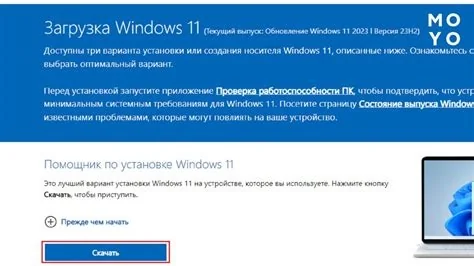
- Open Settings > Windows Update.
- Select Check for updates and locate the KB5078127 entry.
- Click Download and install. A system restart may be required to complete the installation.
The update size is approximately 4.25 GB and is classified as a cumulative update for Windows 11 version 24H2.
Impact on Users and IT Teams
For end‑users, the action is straightforward: install the patch via Windows Update to regain Outlook functionality and improve overall system stability. IT administrators, however, must consider the broader context. The initial KB5074109 rollout disrupted compliance reporting and left systems potentially vulnerable. With KB5078127 available, IT can safely re‑apply the security baseline while restoring critical email access, but thorough testing in a controlled environment is recommended before mass deployment.
Lessons from Rapid Patch Cycles
Microsoft’s regular Patch Tuesday cadence aims to provide predictable maintenance windows, yet the January incident highlights the tension between speed and stability. Out‑of‑band updates are reserved for critical issues that cannot wait for the next scheduled cycle. The dual emergency releases this month demonstrate how a single security update can cascade into multiple, unrelated failures, underscoring the need for careful validation of updates, especially when legacy applications are in use.
What to Expect Next
Microsoft has not announced a specific timeline for additional fixes, but the company’s pattern suggests that any remaining bugs will be addressed in future out‑of‑band releases if necessary. Users should keep Windows Update enabled, monitor official Microsoft communications for the latest information, and verify that KB5078127 has been successfully applied. Prompt installation of this emergency patch restores Outlook stability and mitigates the broader system issues that followed the January security update.


